
How do I create a quiz or a learning game?
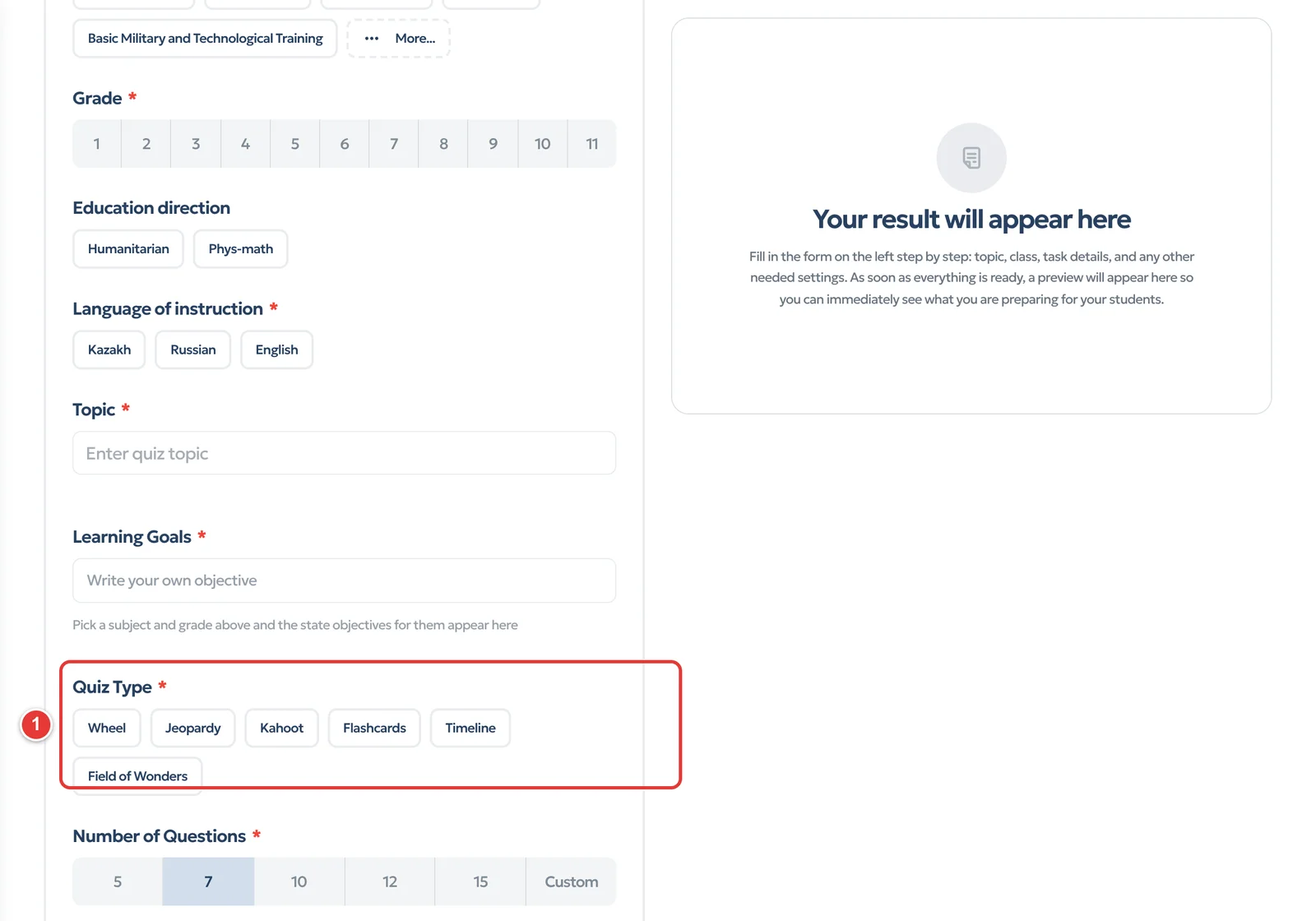
In Teacher Tools, open the «Quiz Generator». Choose the subject, grade, language, topic and objectives, then pick a format under «Quiz Type» (1). Set the number of questions and difficulty and click «Submit».
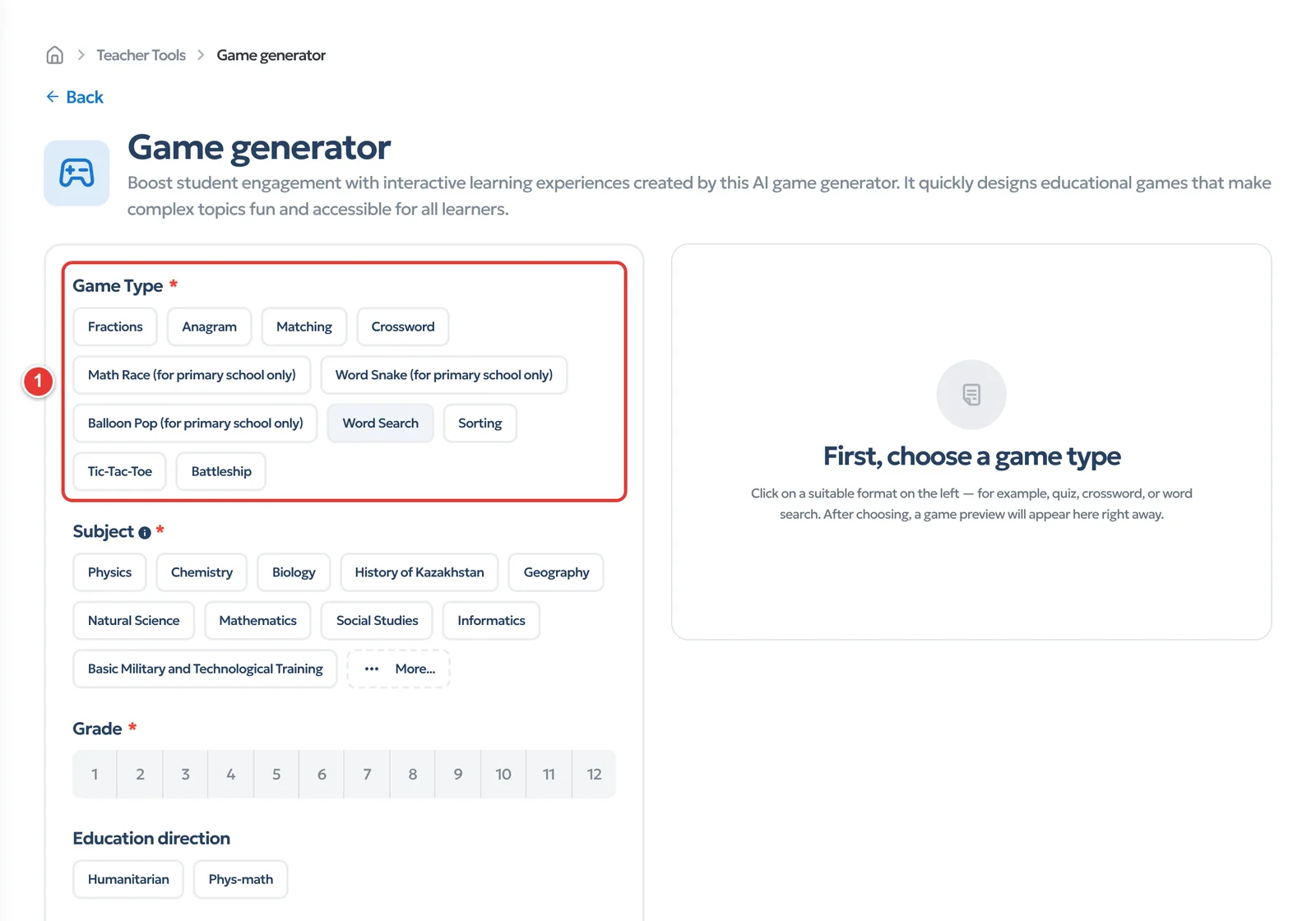
For a game, open «Game generator» and pick the game type first (1): anagram, matching, crossword, word search, sorting and more. A preview of the format appears on the right.
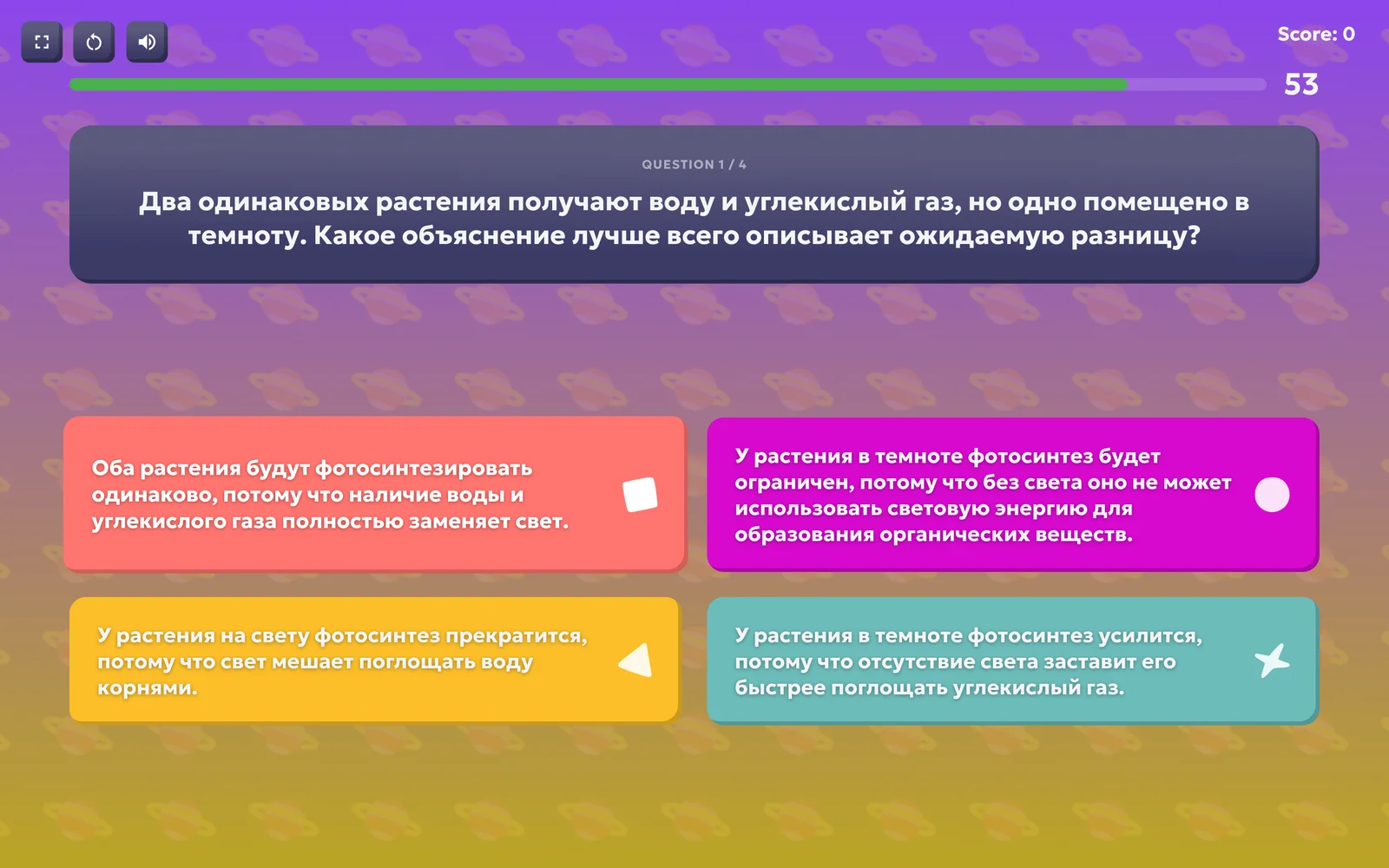
The finished quiz is saved in «My library» and can be played on the classroom screen right away. (The example below is a Russian-language quiz.)
Was this article helpful?