
How do I create a lesson plan?
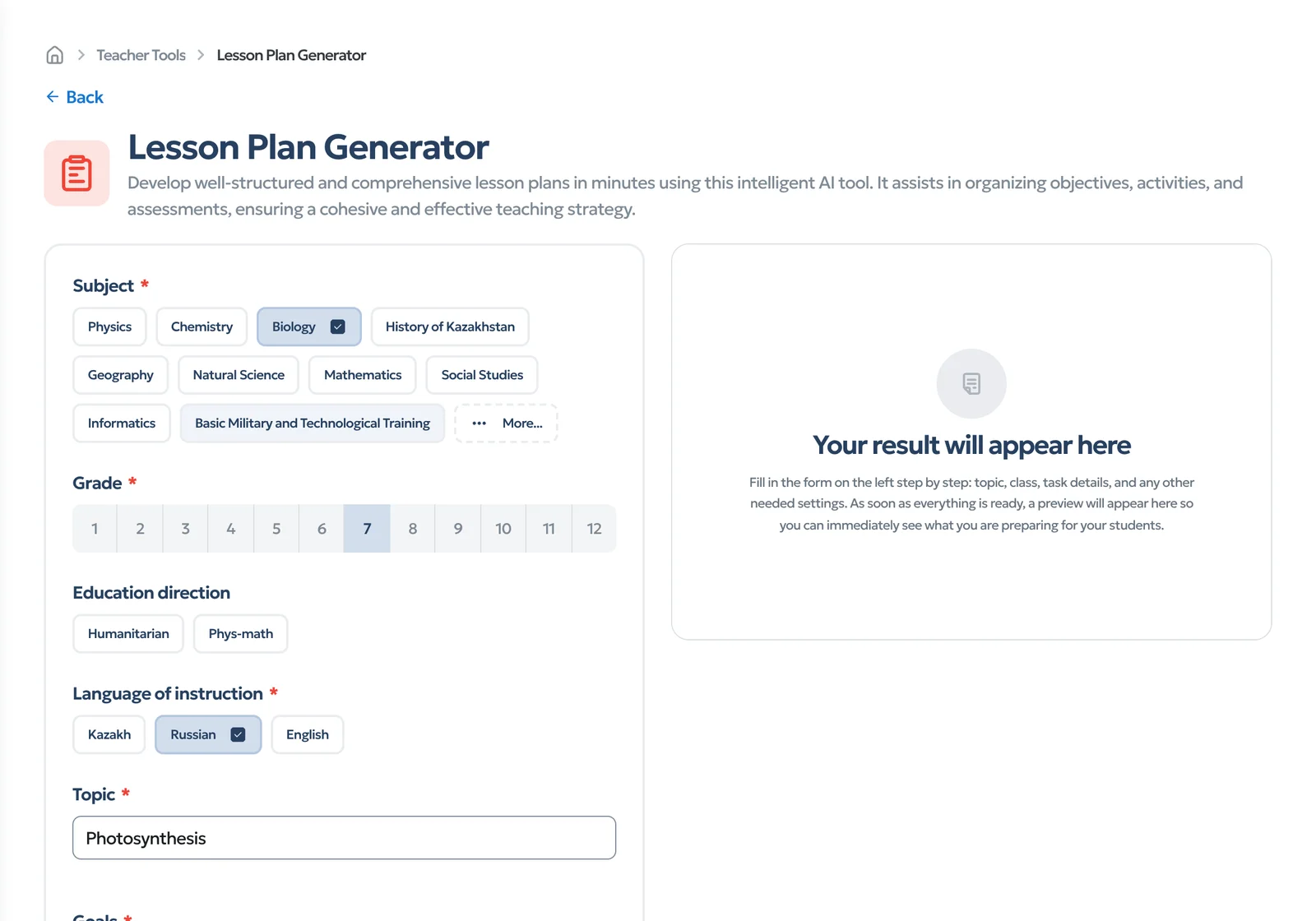
In Teacher Tools, open the «Lesson Plan Generator». Choose the subject, grade and language of instruction, and type the lesson topic.
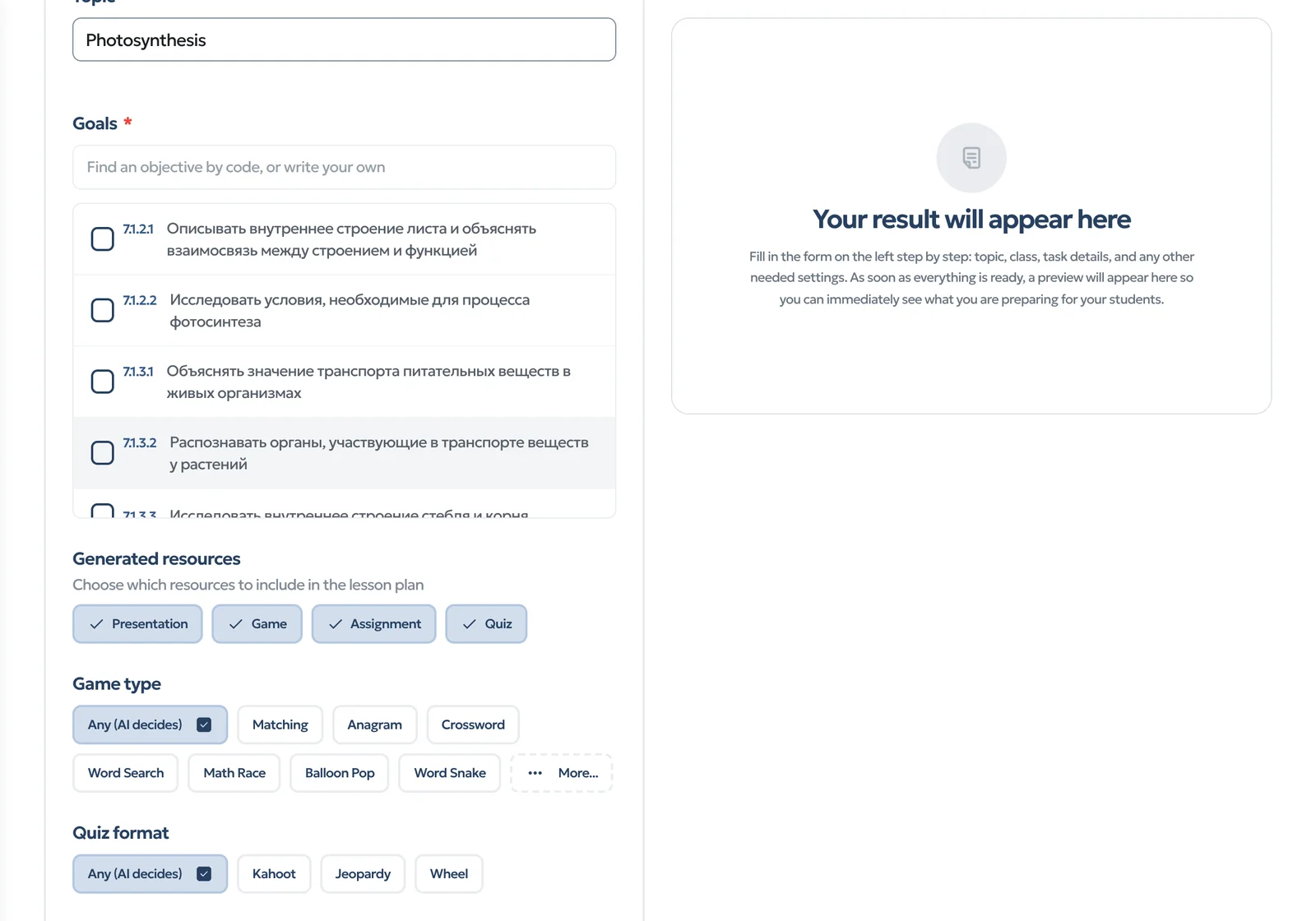
Below, tick the learning objectives from the curriculum — they go into the plan word for word. Optionally choose extra resources to add (presentation, game, assignment, quiz) and the difficulty, then click «Submit».
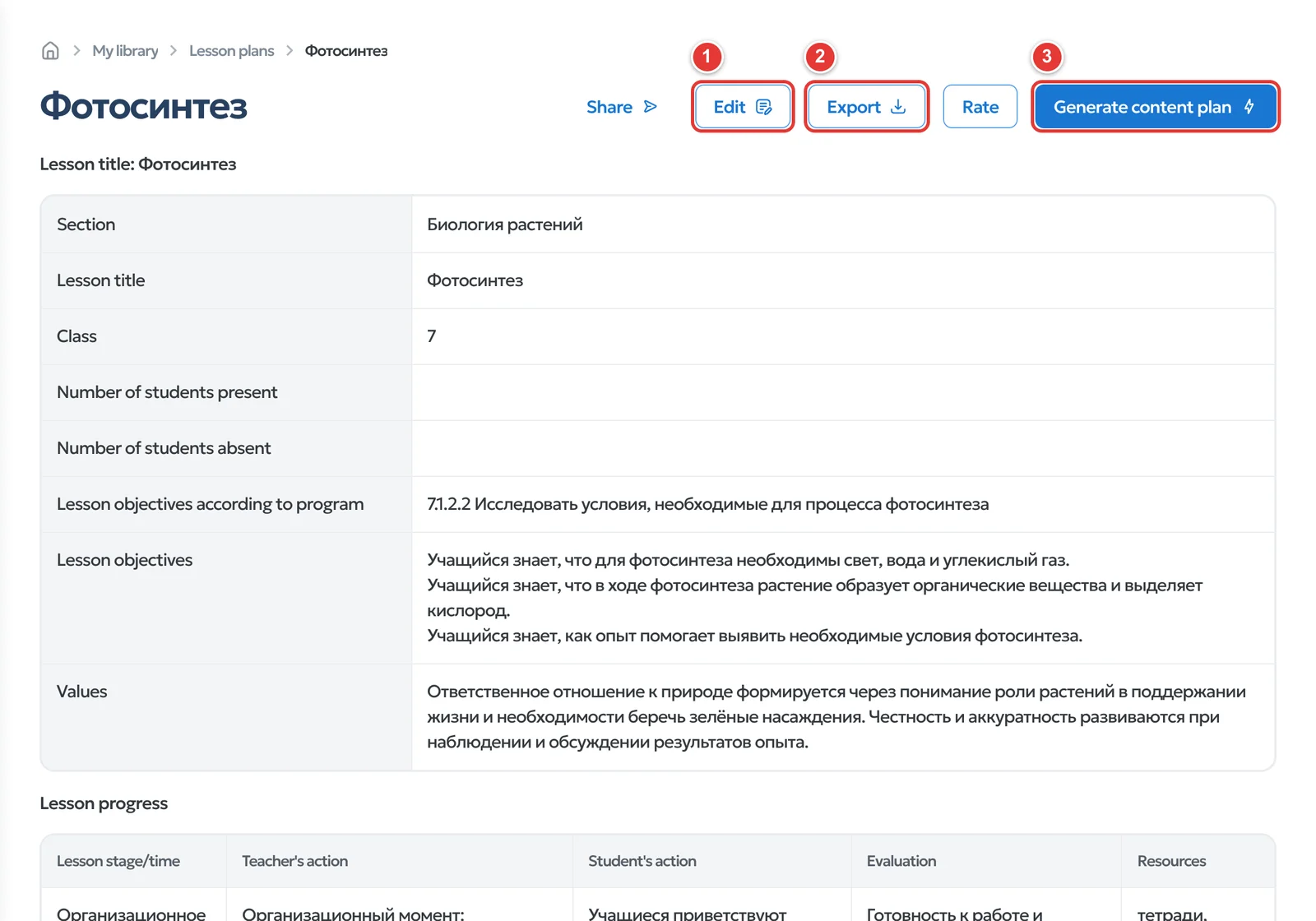
The finished plan is saved in «My library». Click «Edit» (1) to change the text or «Export» (2) to download Word or PDF. «Generate content plan» (3) fills the plan's stages with ready-to-use lesson content.
Was this article helpful?