
How do I grade student work with AI?
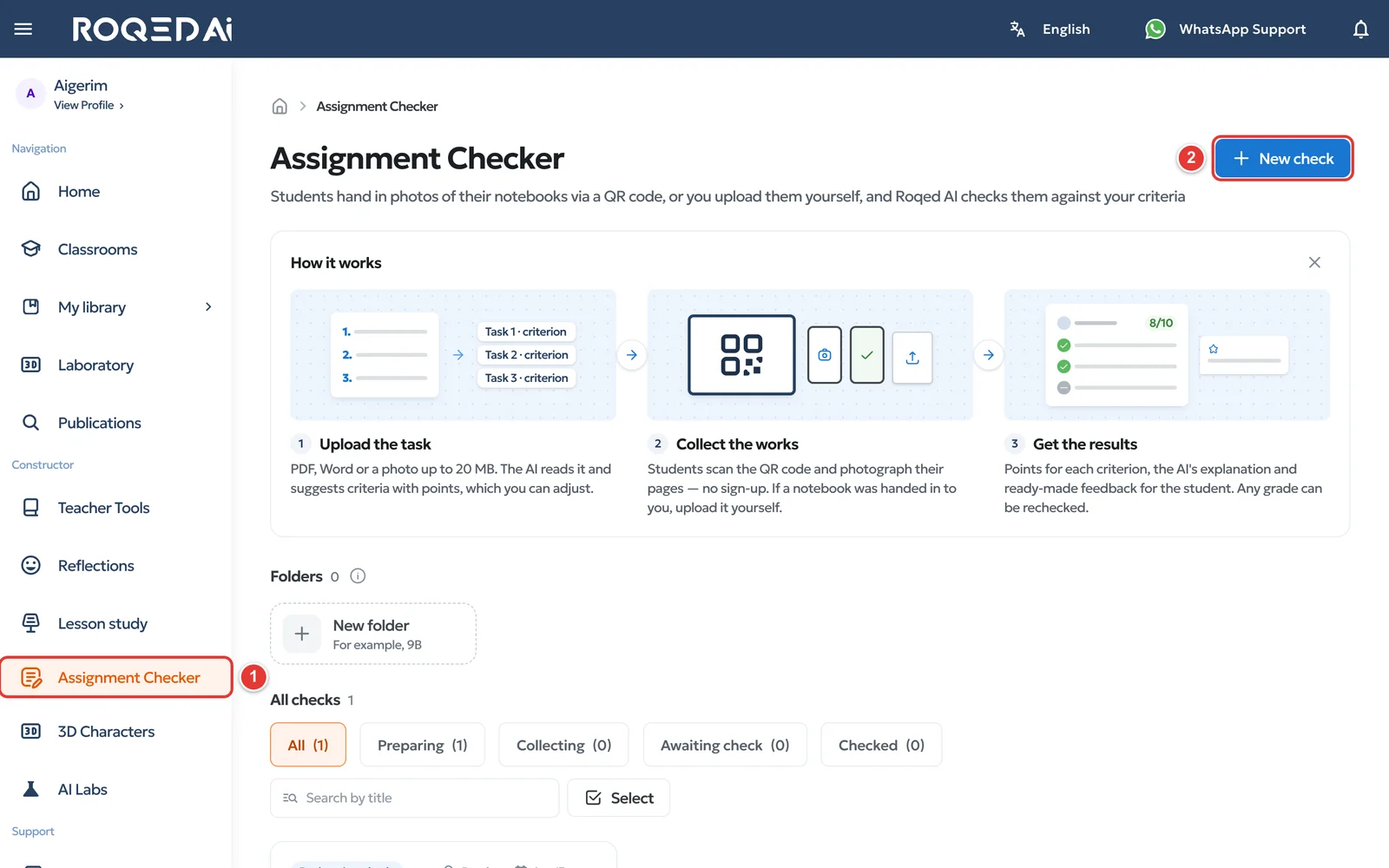
Open «Assignment Checker» in the left menu (1) and click «New check» (2).
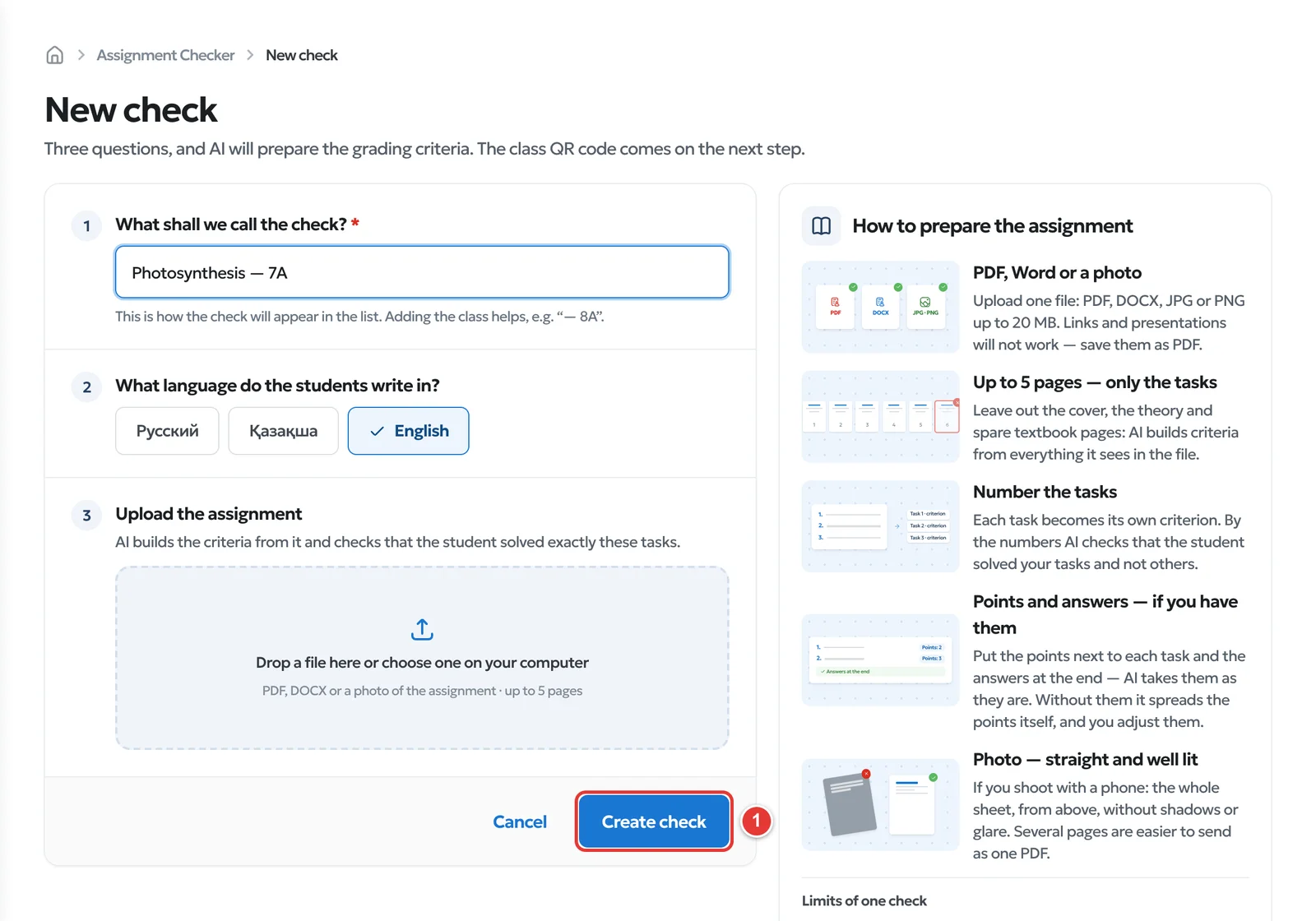
Name the check (adding the class helps), choose the language students write in and upload the task: PDF, DOCX or a photo, up to 5 pages. Click «Create check» (1).
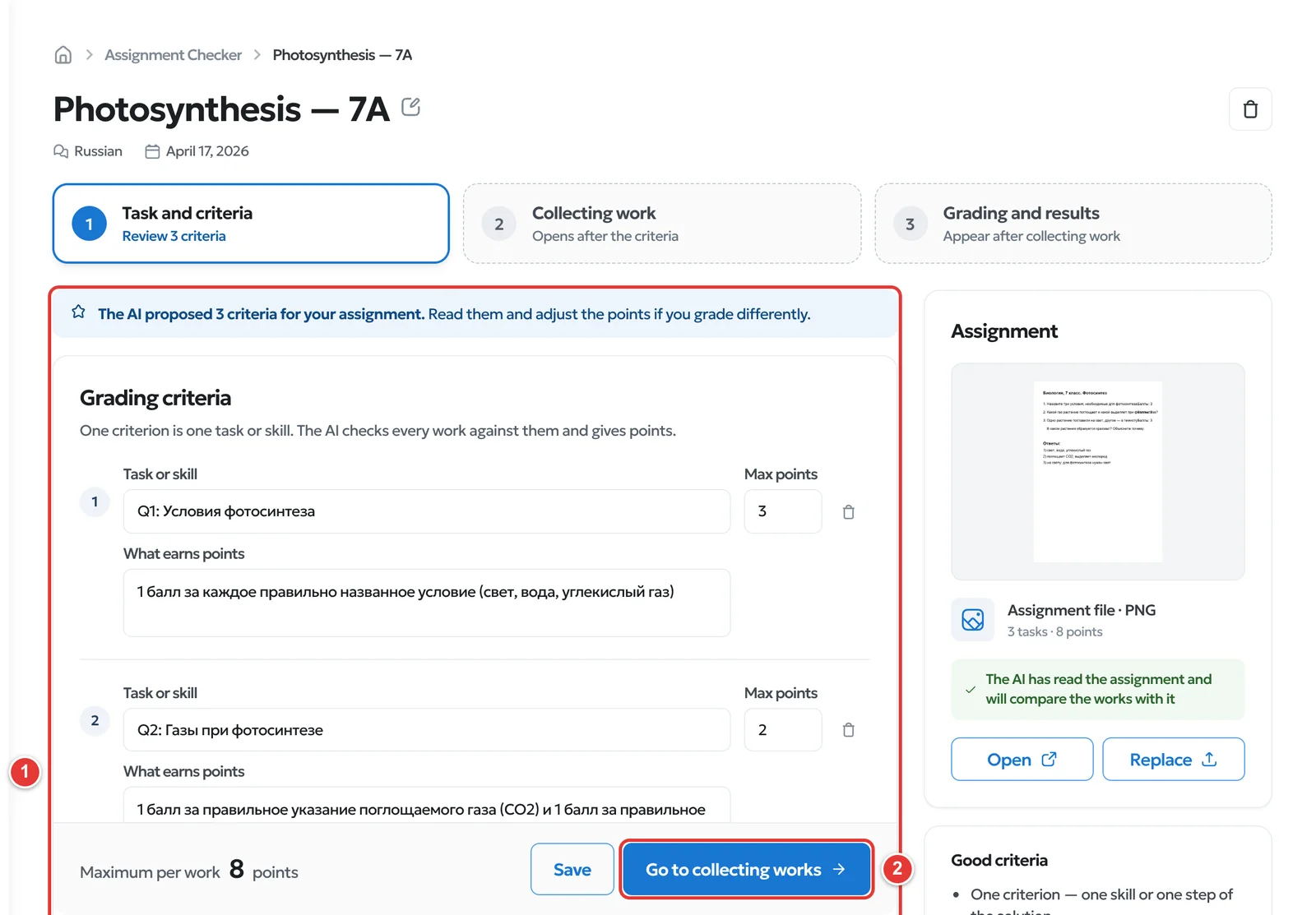
AI proposes grading criteria with points for your assignment (1). Read them and adjust the points if you grade differently; add more with «Add criterion» below the list if needed. Then click «Go to collecting works» (2) to get a QR code. Students scan it and photograph their pages without signing up, and you can upload notebooks handed to you yourself. AI scores each criterion and writes feedback for the student; you can re-check any score.
Was this article helpful?