
How do I set my subjects and grades in my profile?
Click your name at the top of the left menu (1). The «Profile» tab opens (2).
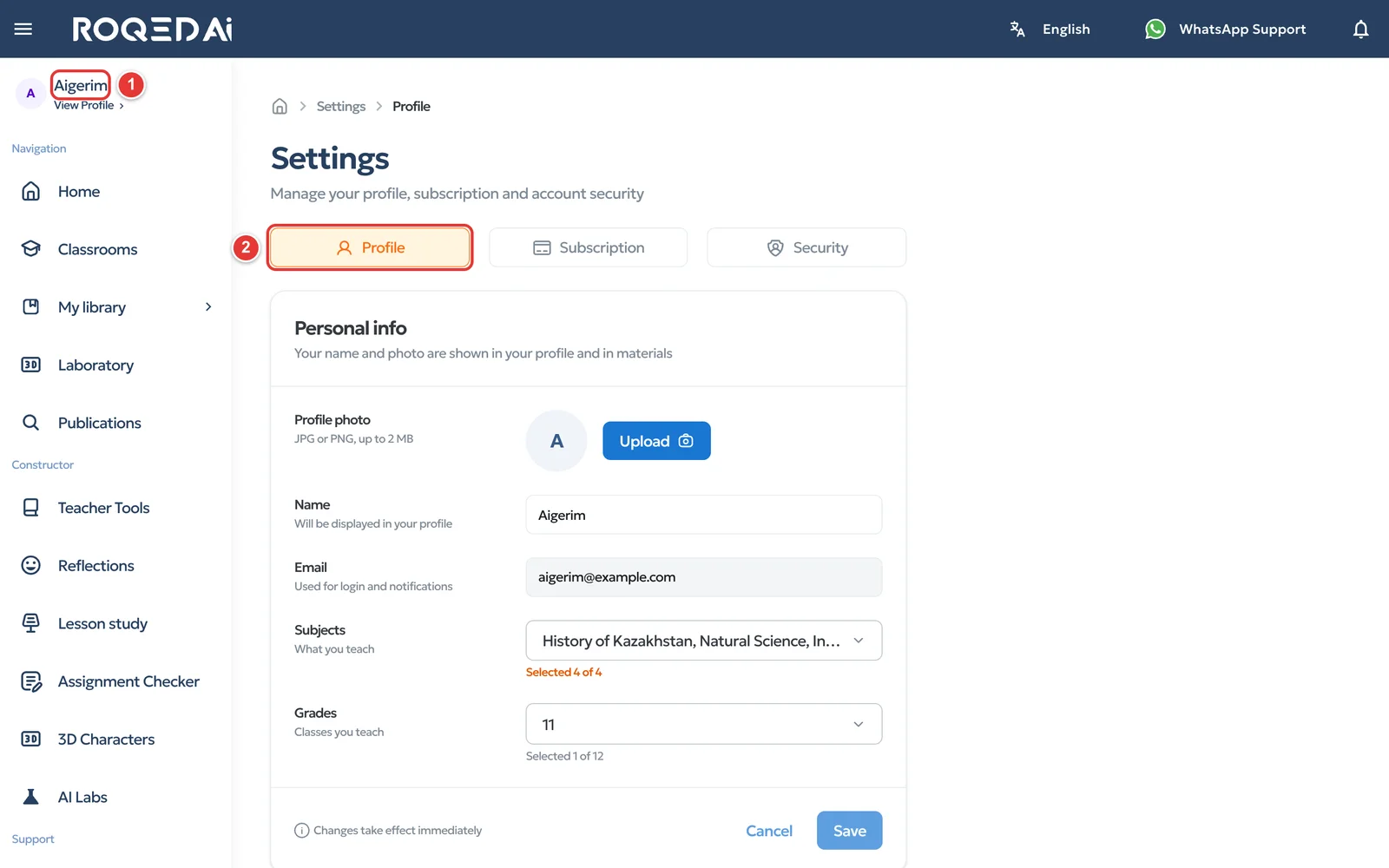
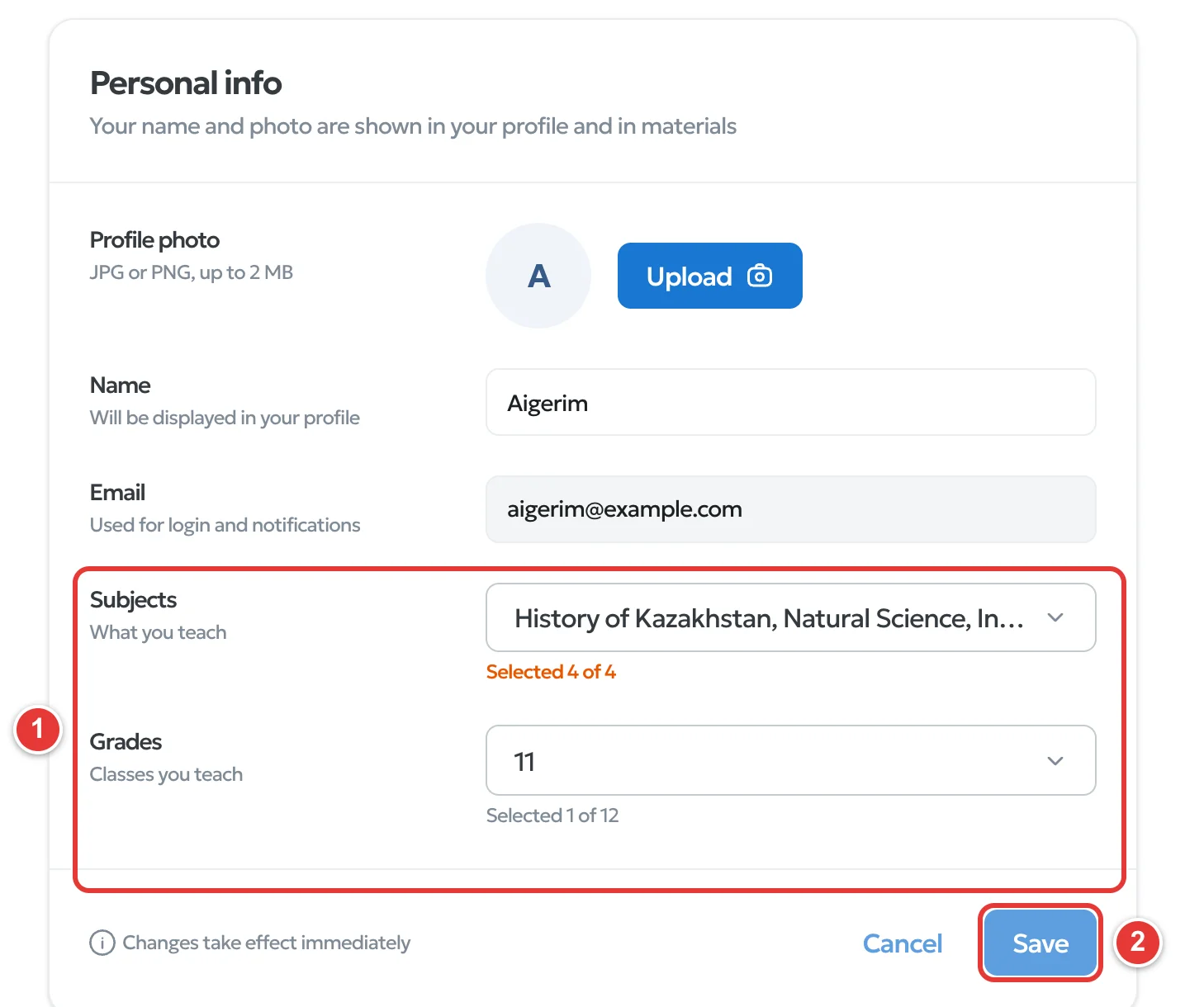
In the «Subjects» and «Grades» lists, tick what you teach (1) and click «Save» (2). You can also change your name and profile photo here (JPG or PNG, up to 2 MB).
Was this article helpful?