
How do I create a ROQED AI account?
Open ai.roqed.com/register. You can pick the interface language in the top corner of the page.
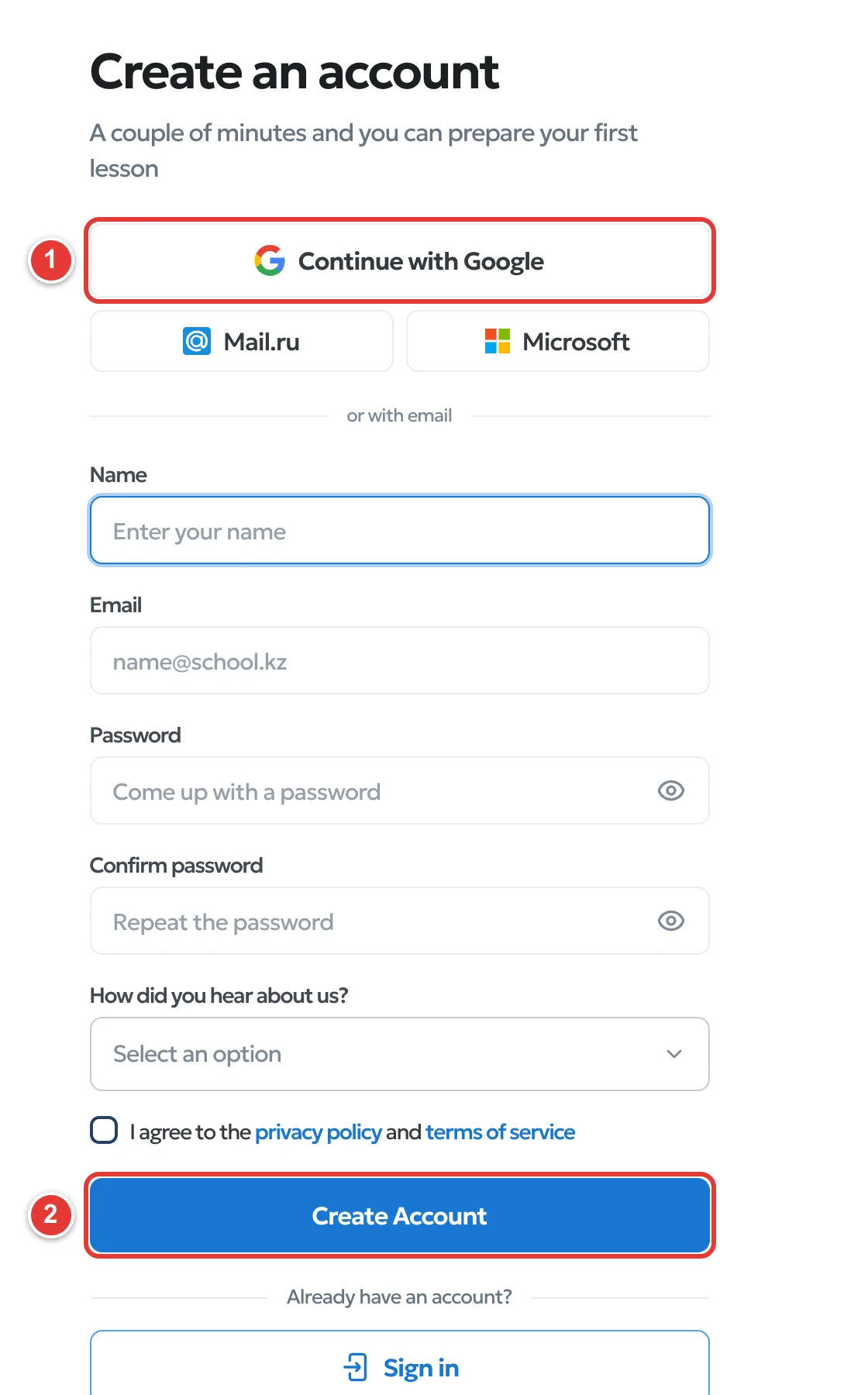
To sign in without a password, click «Continue with Google» (1), Mail.ru or Microsoft. Or sign up with your email: enter your name, email and password (twice), answer «How did you hear about us?», accept the terms and click «Create Account» (2).
If you signed up with your email, we send a code to it. Enter it in «Code from the email» and click «Confirm». No email? Check your Spam folder or click «Send a new code».
Was this article helpful?