
How do I work with a structural 3D model?
Rotate the model with the mouse and zoom with the scroll wheel. The toolbar is at the bottom.
The bottom toolbar: (1) the list of model parts — the selected part is highlighted, and the arrows next to it go to the next or previous part; (2) the drop icon — transparency; (3) the eye icon — a description of the selected part; (4) the hand icon — take-apart mode; (5) the gear — background settings. The far-right button switches to full screen.
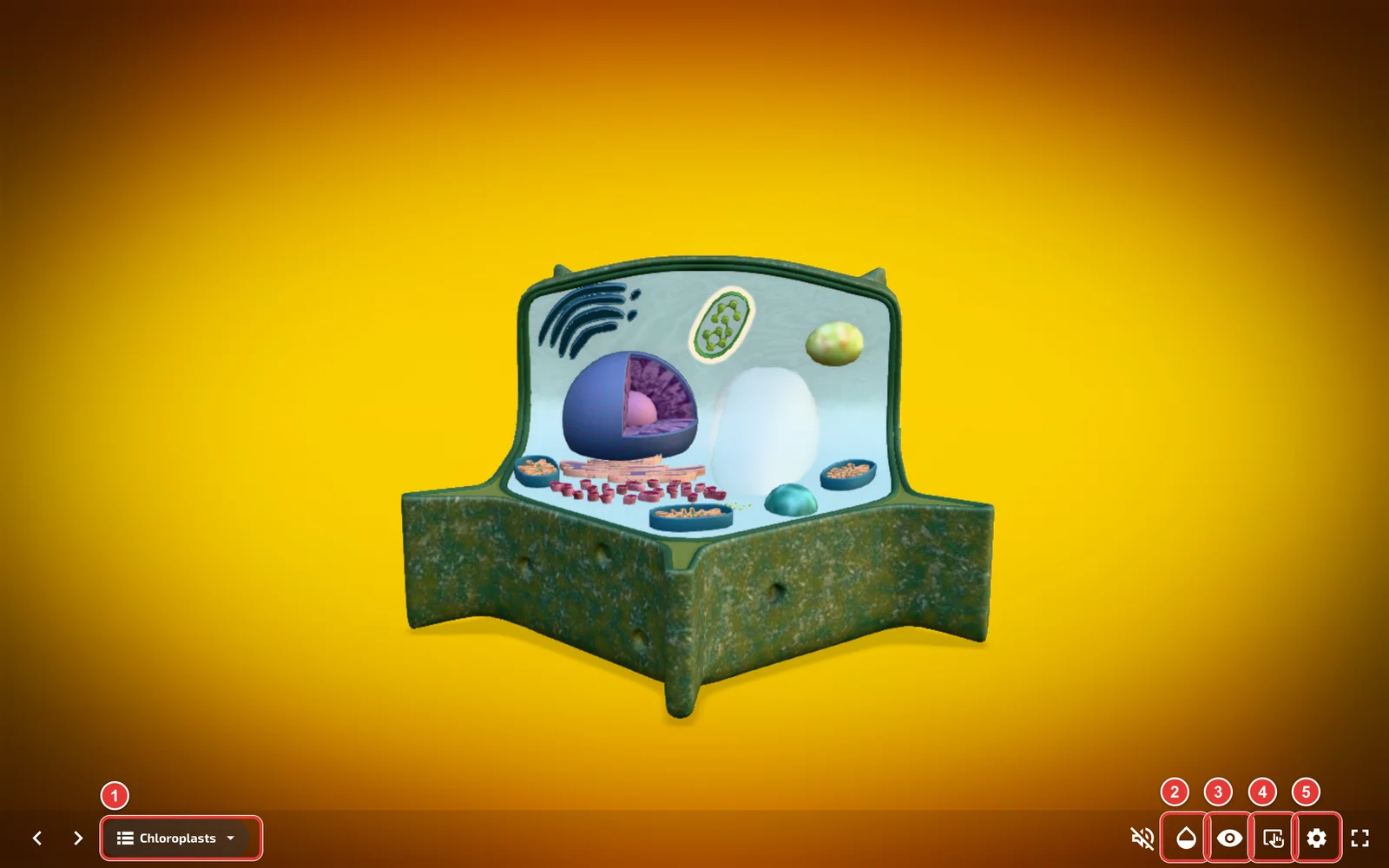
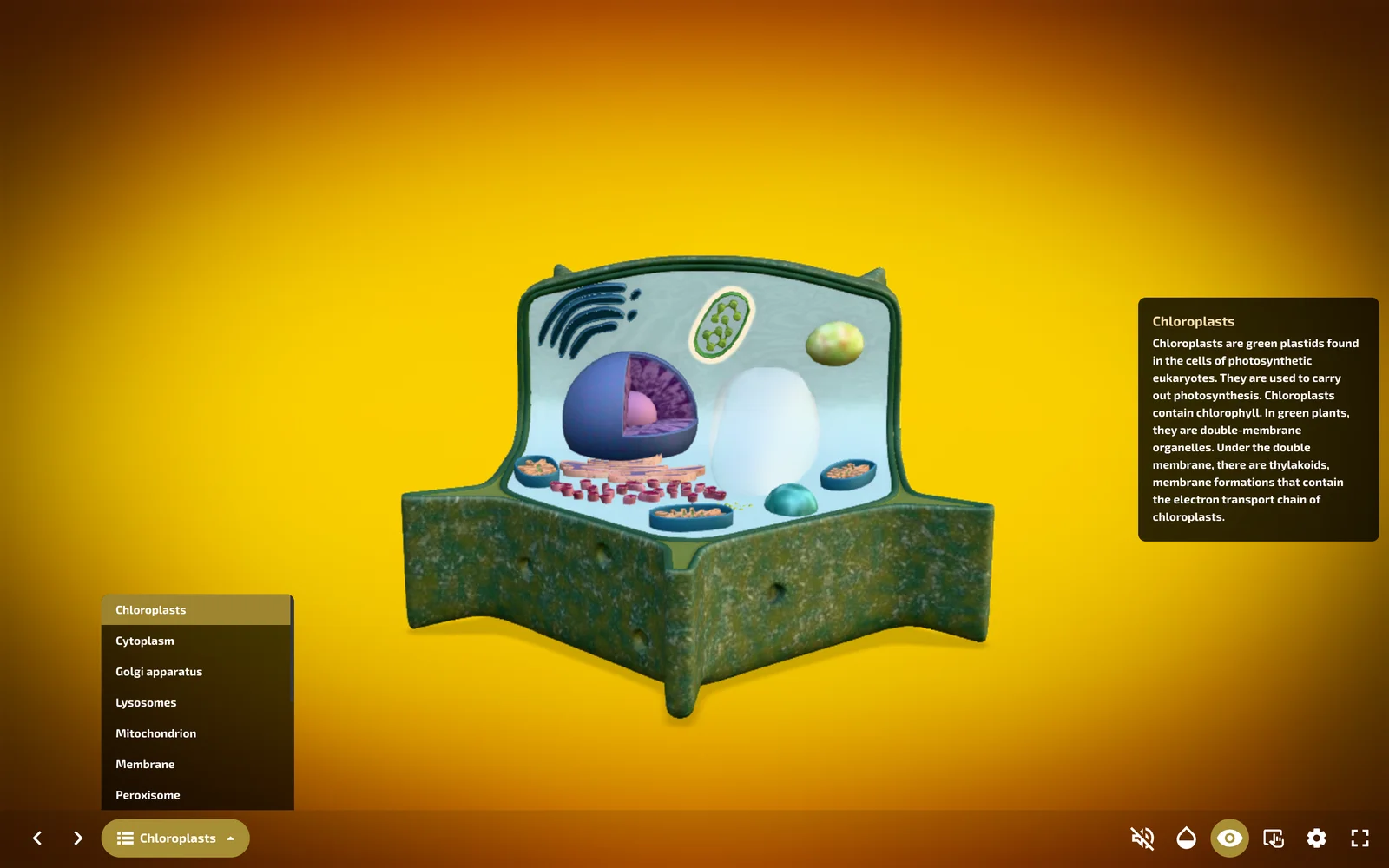
Pick a part from the list and click the eye icon to show its description on the right. Click again to hide it.
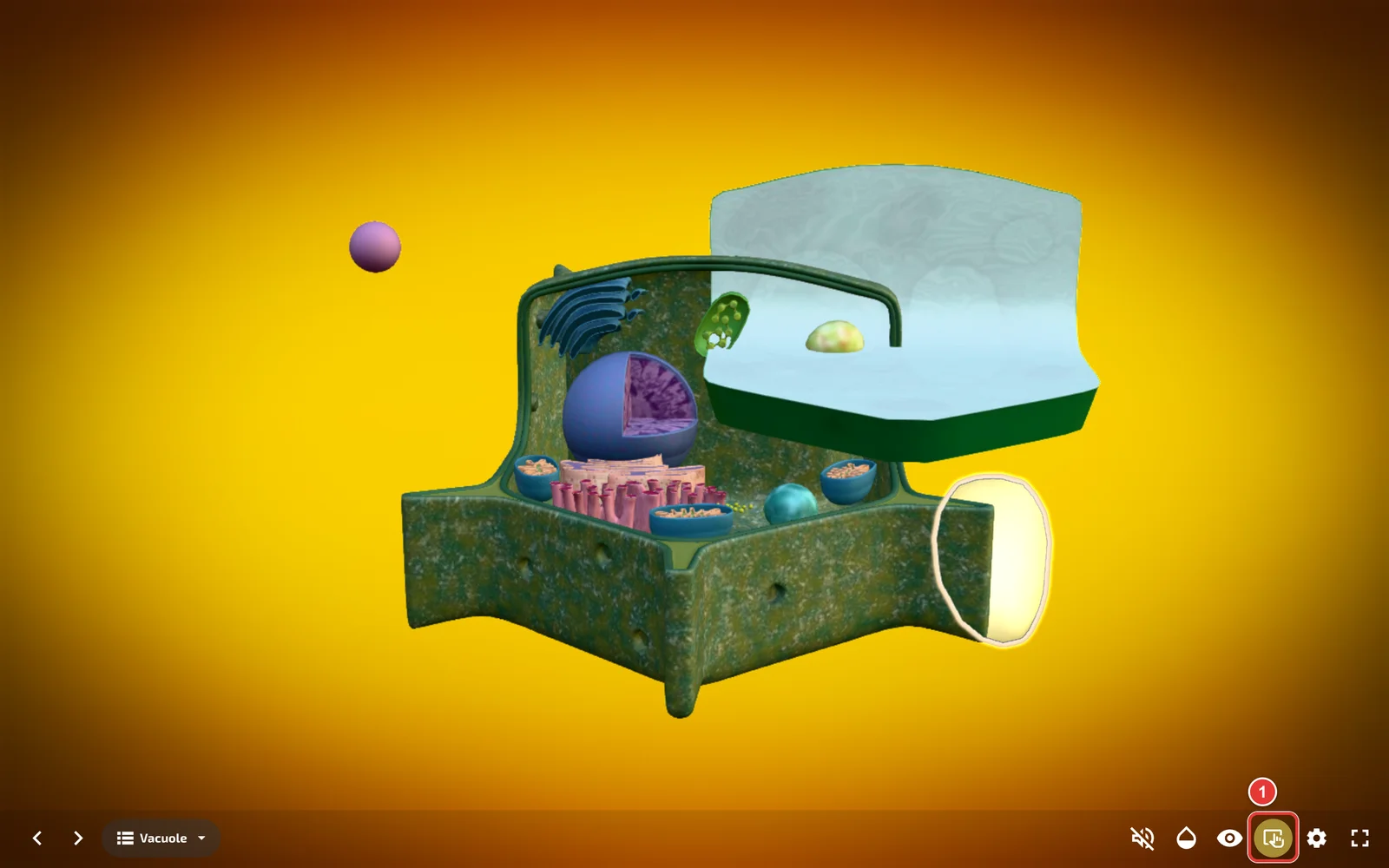
Turn on take-apart mode (1) and drag parts out with the mouse to see the inside. Click the button again to put the model back together.
Was this article helpful?