
How do I assign a test to students?
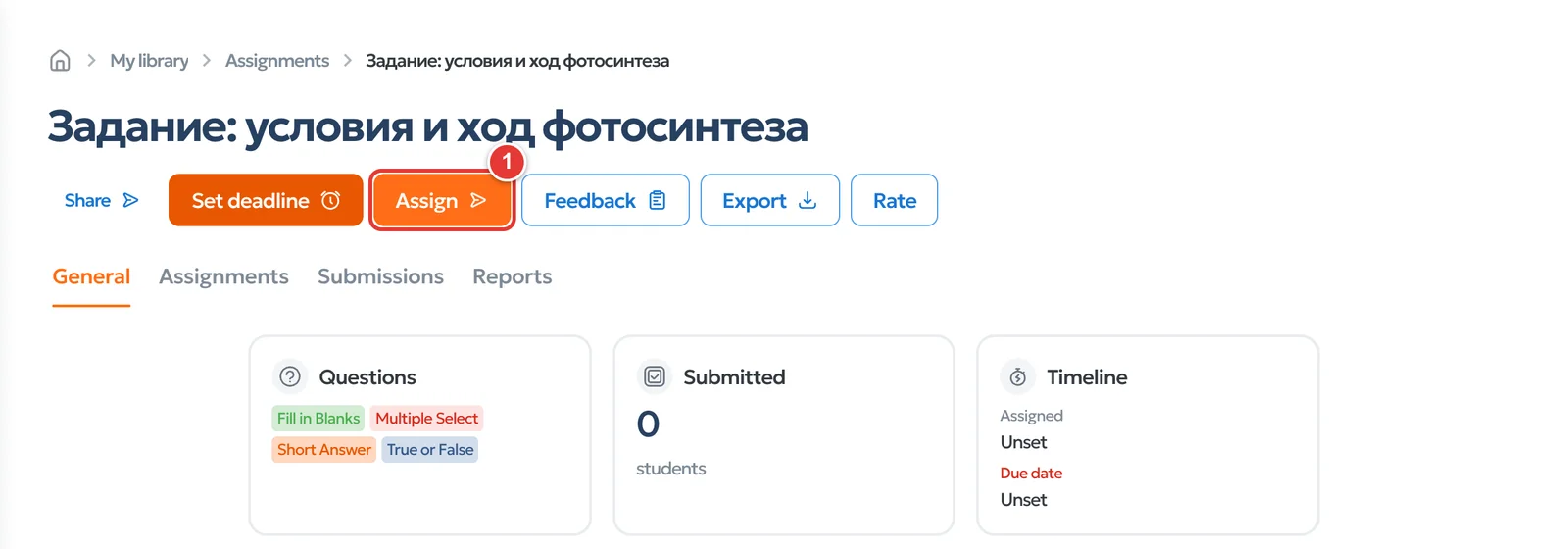
Open the test in «My library» and click «Assign» (1).
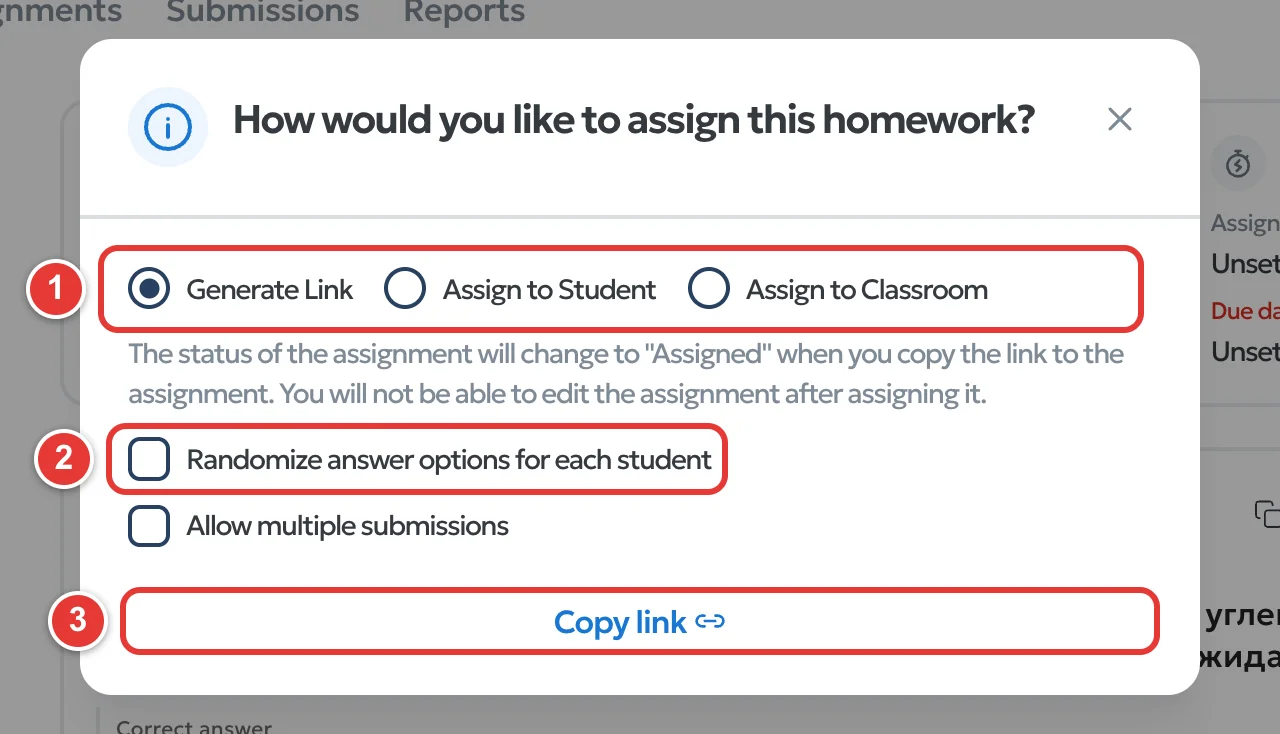
Choose how to assign (1): «Generate Link», «Assign to Student» or «Assign to Classroom». Tick «Randomize answer options for each student» (2) so each student sees the options in a different order. For a link, click «Copy link» (3) and send it to your class chat.
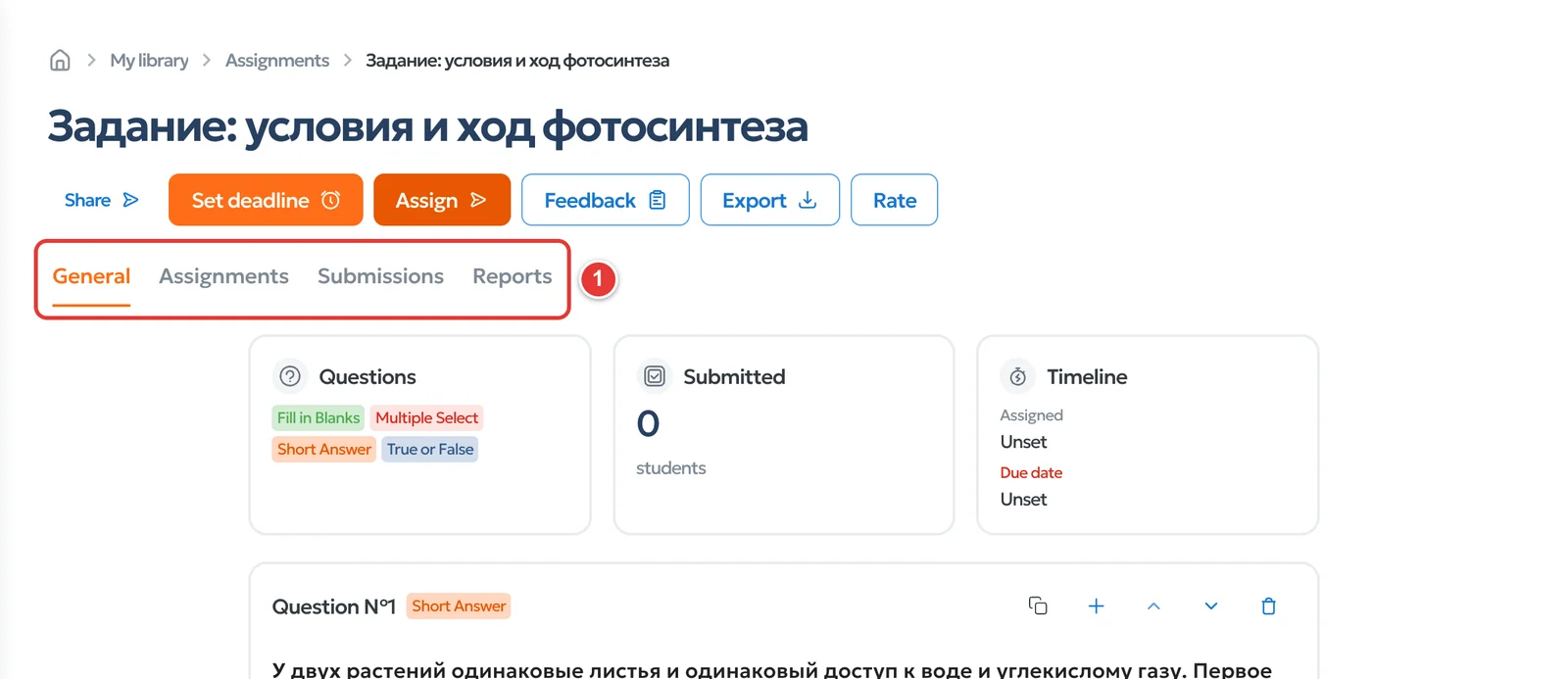
Assignments, submissions and reports are in the tabs on the assignment page (1).
Was this article helpful?