
How do I share a material with other teachers?
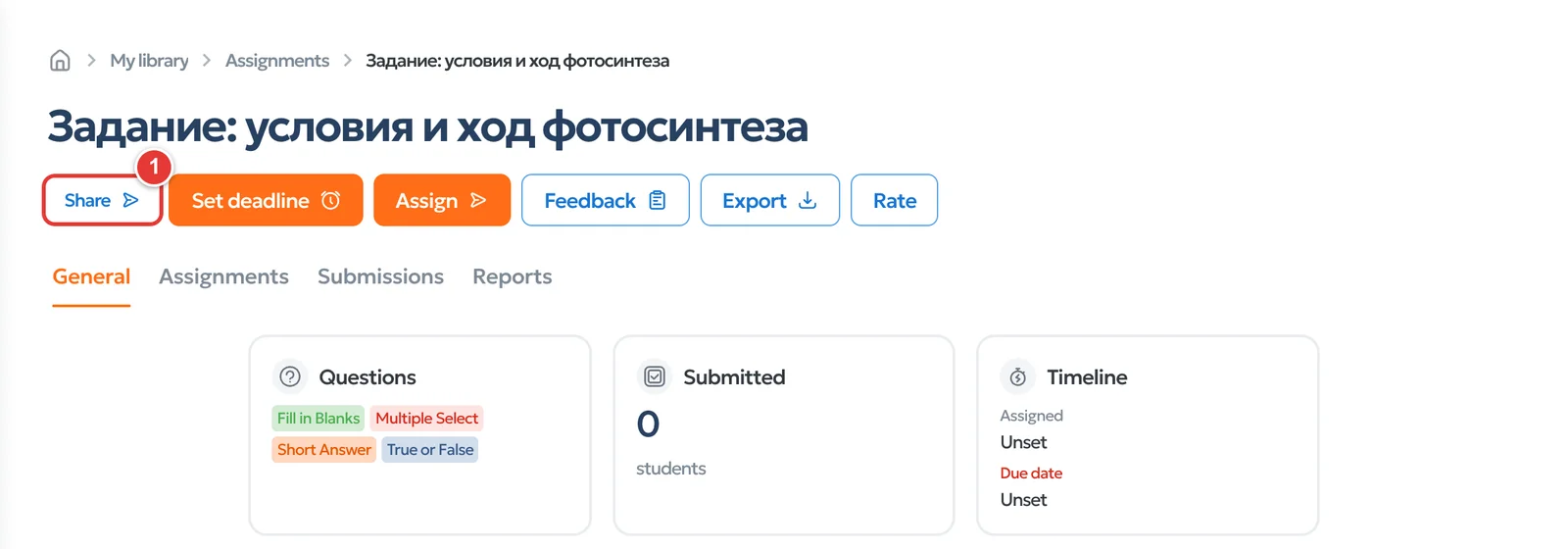
«Share» publishes the material for other teachers, not for students. To send an assignment to students, use «Assign».
Open the material and click «Share» (1).
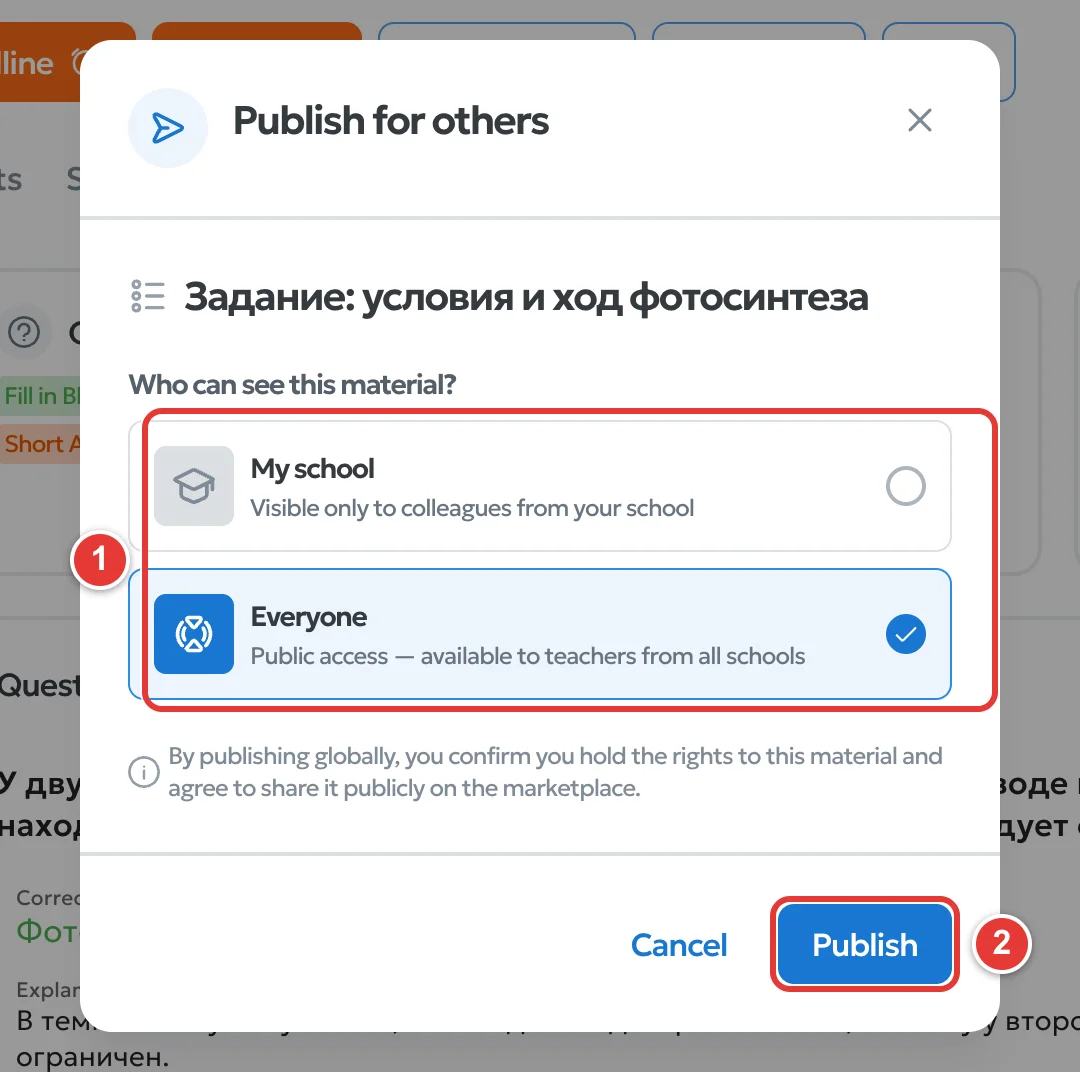
Choose who can see it (1): «My school» or «Everyone». Click «Publish» (2).
Was this article helpful?