
AI worksheet generator: level tasks with descriptors in minutes
Pick the subject, grade, topic, learning objectives and duration. AI builds 3 to 6 level A, B and C tasks with descriptors, points and an answer key for the teacher.
Sample: Mathematics, Grade 5 (in Kazakh)
Published by a teacher on ai.roqed.com
- Пәні
- Математика
- Сынып
- 5 сынып
- Оқыту бағыты
- Физмат
- Тіл
- Қазақ
- 1-тапсырма18 санының барлық бөлгіштері дұрыс көрсетілген қатарды таңдаңыз.Жауабы: ____________
- 2-тапсырмаТөмендегі сандардың ішінен 6 санының еселіктерін таңдаңыз.Жауабы: ____________
- 3-тапсырма«7 саны 42 санының бөлгіші» деген тұжырымның дұрыстығын анықтаңыз.Жауабы: ____________
About the worksheet generator
How it works
You can make a worksheet online with ROQED AI: pick the subject, grade, topic, learning objectives and duration, and AI builds 3 to 6 level A, B and C tasks with descriptors and points (4 to 10 in total, set by the duration and grade). The answer key for the teacher sits on a separate page, the sheet is ready to print on A4, and you can download it as Word or save it as PDF from the print dialog; you get 50 crystals when you sign up; the platform already has 400+ ready assignments from teachers. You can edit any task by hand or ask AI to redo the ones you select.
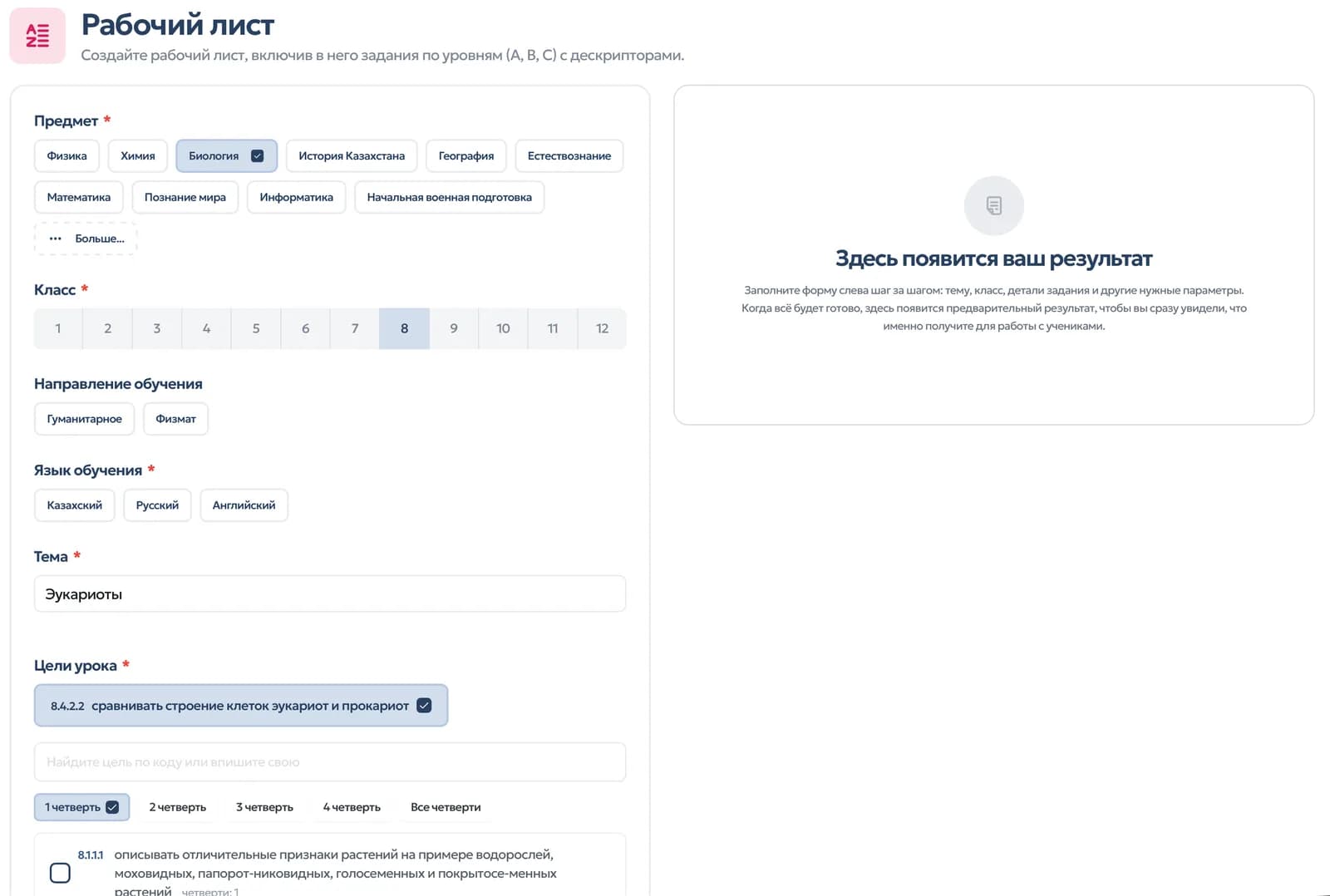
- 1Fill in the formSubject, grade, track, language of instruction and topic. Learning objectives are picked from the state curriculum by code, then set the difficulty.
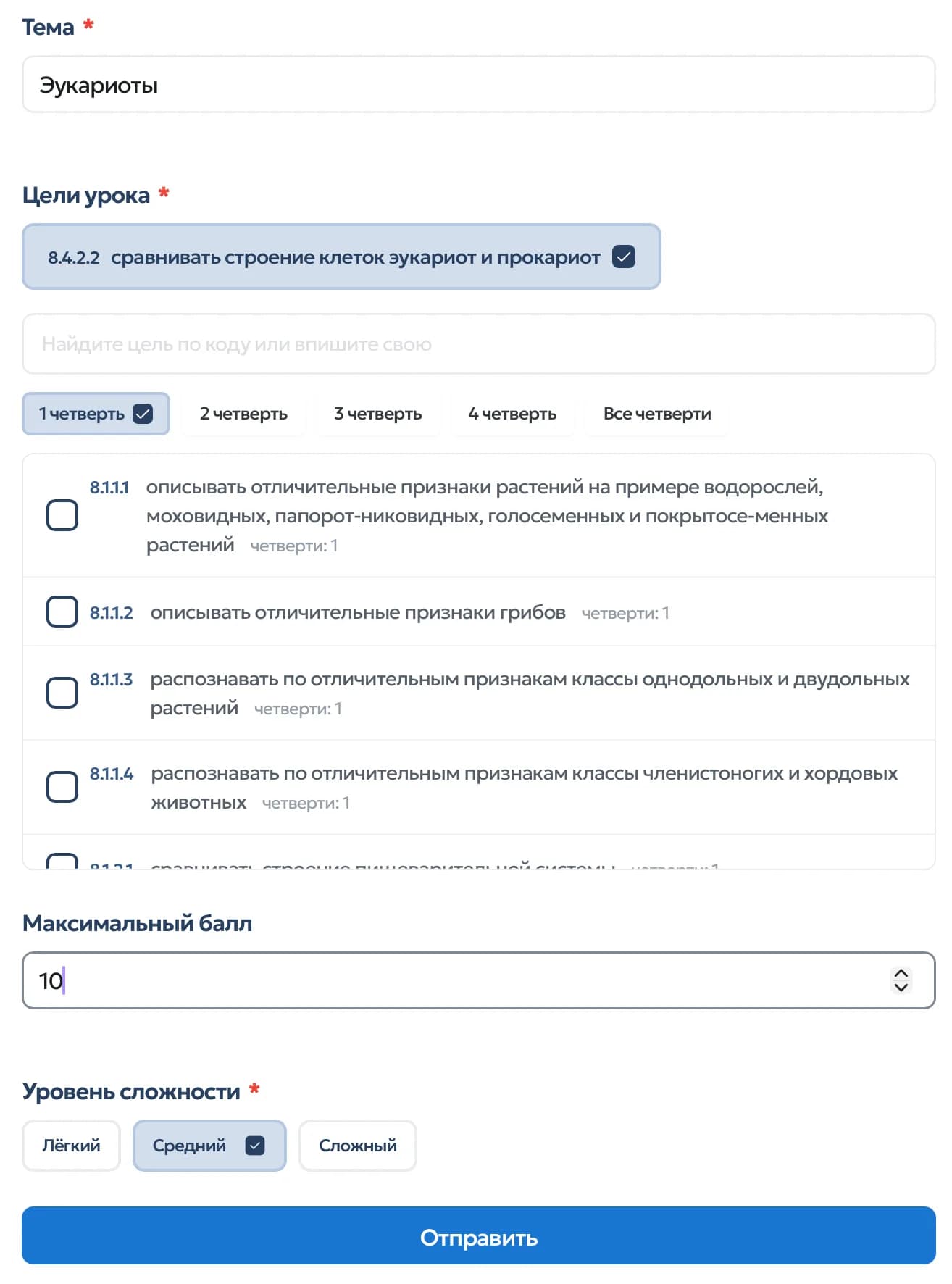
- 2Pick the objectives and the difficultyLesson objectives come from the national curriculum by code; you set the difficulty.
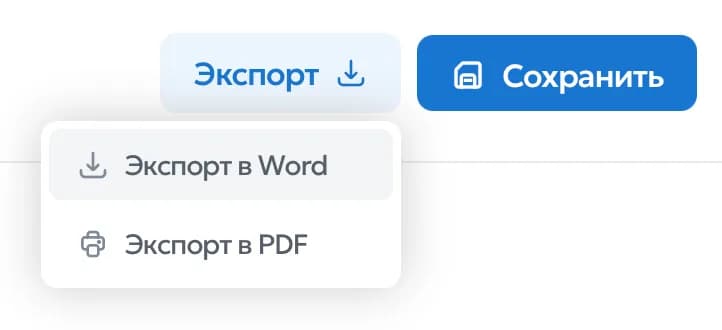
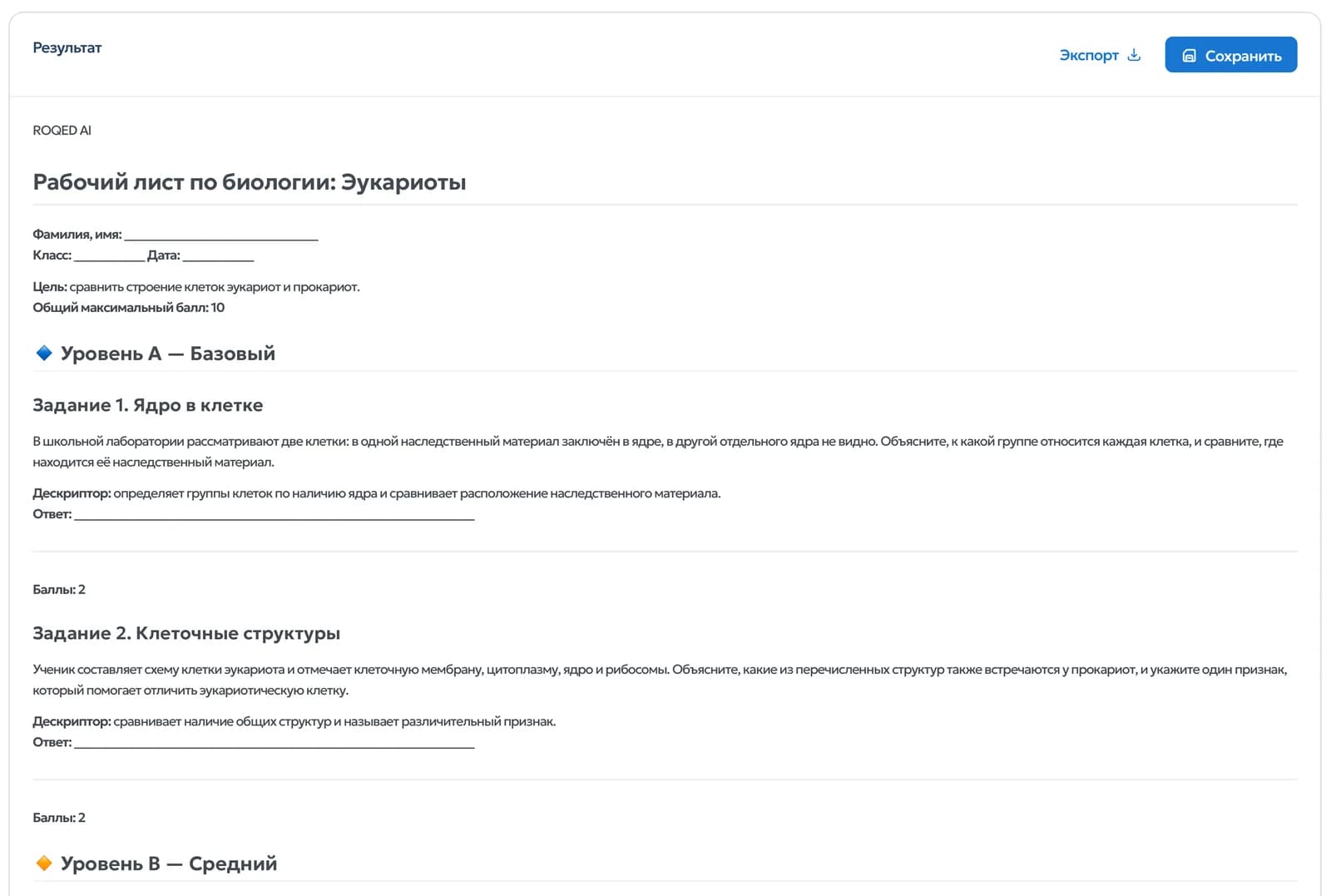
- 3Export and printAdjust the wording for your class, download the worksheet as Word or save it as PDF from the print dialog, and print copies for your students.
What's in the worksheet
- Tasks at three levels: A, B and C
- Descriptors for every task — what the student has to do
- Points by level (A = 1, B = 2, C = 3), 4 to 10 in total
- An answer key for the teacher, removed before printing
- Learning objectives from the state curriculum, with codes
- Export to Word or print to PDF
- Worksheet language: Kazakh, Russian or English
The worksheet downloads as Word or prints on A4 pages, and the print dialog can save it as PDF. It comes in Kazakh, Russian or English — matching the class's language of instruction.
Level A, B and C tasks with descriptors: 3 to 6 tasks to fit the lesson
Tasks in a ROQED AI worksheet are split into three levels. Level A checks understanding of terms and definitions, level B applying the knowledge in practice, level C transfer to a situation the lesson did not rehearse. The difficulty you pick in the form makes the tasks more or less demanding.
Every task carries a descriptor: what exactly the student must do to earn the points. Points come only from the level, and the number of tasks follows the lesson duration and grade:
- Level A, basic: 1 point per task.
- Level B, intermediate: 2 points per task.
- Level C, advanced: 3 points per task.
- 3 to 6 tasks and 4 to 10 points in total: for example, a 20-minute sheet for grades 5–9 has 5 tasks worth 9 points.
An answer key for the teacher: mark the worksheet without solving it by hand
The last part of the worksheet is the answer key. A task with one correct answer gets that answer and a short note on the working. An open task gets a model answer of the right length and what the student's answer must contain to earn each point. You mark the class from the key instead of solving every task again.
The key is on a separate page together with the descriptors and points. That page is left out of student copies, and the full version stays with you.
How to get worksheets ready for class and for printing
Worksheets are mostly handed out on paper, so the routine is short:
- Pick the lesson's learning objectives by code from the state curriculum: the tasks are built around them.
- Set the difficulty for your class.
- Read the tasks as a student would and adjust the wording if needed.
- Open the print dialog or download the sheet as Word: the answer key is on a separate page.
- Print copies for the class and keep the sheet with the key for marking.
Worksheets and formative assessment
A worksheet with descriptors is a formative assessment tool: it shows which learning objective a student has mastered and which still needs work. Level A tasks show whether the terms are understood, B whether the student can apply the knowledge, C whether they can transfer it to a new situation.
Descriptors make feedback concrete: not "wrong" but what exactly was not done. And points by level show the level where a student stopped.
If the sheet is homework or independent work, the answer key helps you mark a stack of sheets quickly after the lesson, and the descriptors tell you what feedback each student needs. So the same sheet works for class work and for marking at home.
400+ ready assignments published by teachers
400+ assignments created and published by other teachers on ROQED AI — grades 1–11, more than 30 subjects. Open to view without signing up.
Frequently asked questions
What do levels A, B and C mean?
They are difficulty levels: A is basic (1 point per task), B is intermediate (2 points) and C is the most demanding (3 points). Points come only from the level; you don't type them. How many tasks of each level the sheet gets depends on the lesson duration and grade: 3 to 6 tasks and 4 to 10 points in total. One sheet works for students at different levels.
Does the worksheet come with answers?
Yes. The answer key for the teacher is on a separate page: the answer, points and descriptor for each task. That page is left out of student copies.
How do descriptors and points help with assessment?
Descriptors state exactly what the student must do, and points show the weight of each step. They make it quick to check work, give feedback and spot which learning objective still needs work — that is formative assessment in practice.
How is the worksheet tied to learning objectives?
You pick the lesson's objectives in the form by code from the state curriculum, and the tasks at all three levels are built around them. The objective codes are carried into the sheet unchanged, so it is easy to attach to your lesson plan.
Can I change the number of tasks and the points?
The number of tasks and the total depend on the lesson duration and grade you pick in the form: 3 to 6 tasks and 4 to 10 points. A task's points come from its level (A, B or C); you don't type them. In the editor you can add or delete a task, change any wording, or select tasks and ask AI to redo them (up to three such edits per sheet).
How do I print worksheets for my class?
Print as many copies as you need: the answer key page is left out of student copies. Keep the sheet with the key for marking. The print dialog can also save the sheet as PDF for sending to students.
Which formats can I download the worksheet in?
Word, to edit and print, and PDF through printing: in the browser's print dialog you can save the sheet as PDF and send it to students.
What language will the worksheet be in?
Kazakh, Russian or English — you choose the language of instruction in the form, and all tasks and descriptors follow it.
Build a worksheet for your next lesson
50 crystals when you sign up. Your starting balance is valid for 30 days.
Updated: