
What are crystals and how do I top up?
Generating materials costs crystals: each tool has its own price, and «Usage history» shows what was spent on what. Teachers with a school licence don't need crystals.
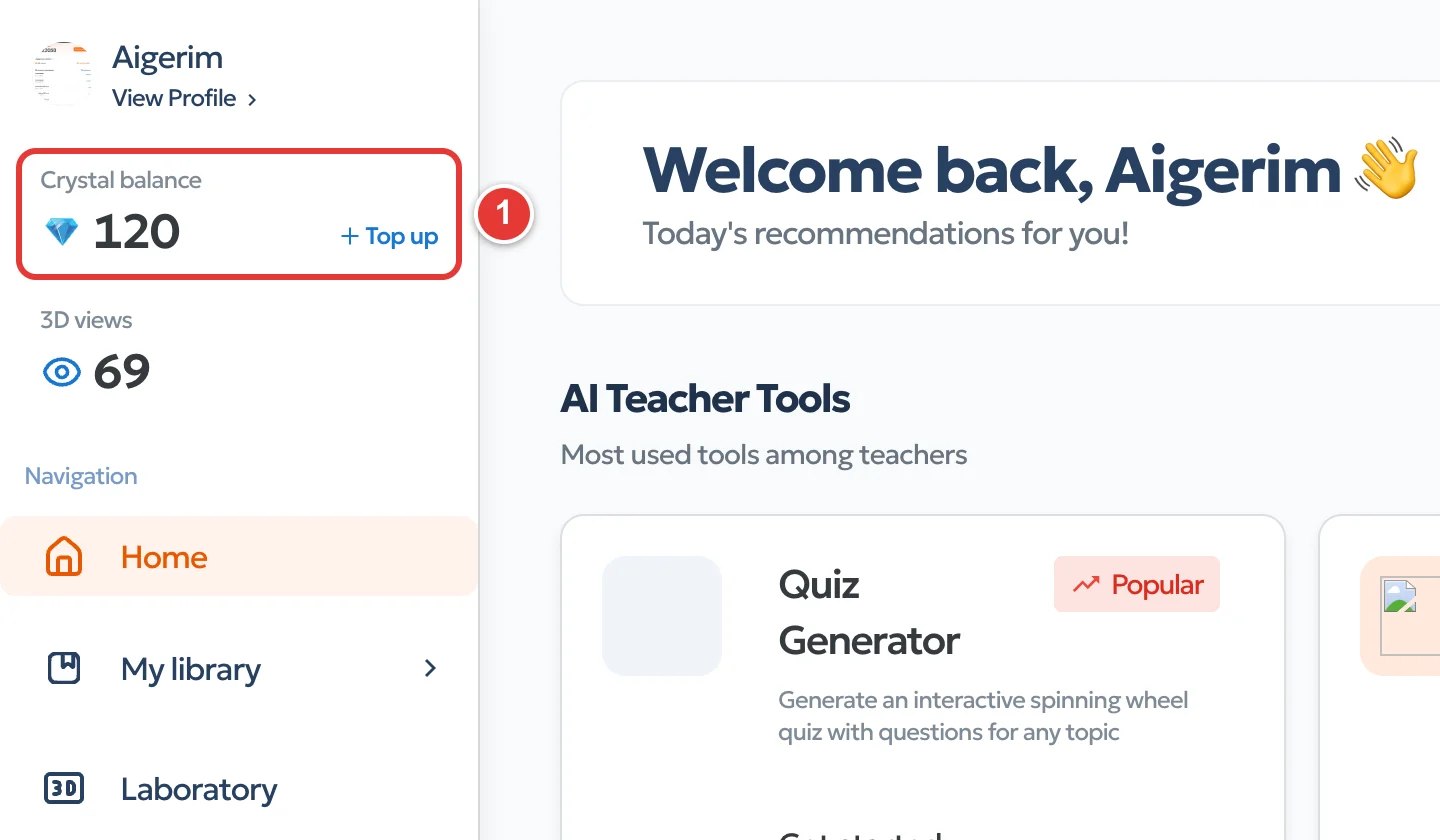
Your current balance is shown at the top of the left menu (1). The «Top up» button takes you straight to the packs.
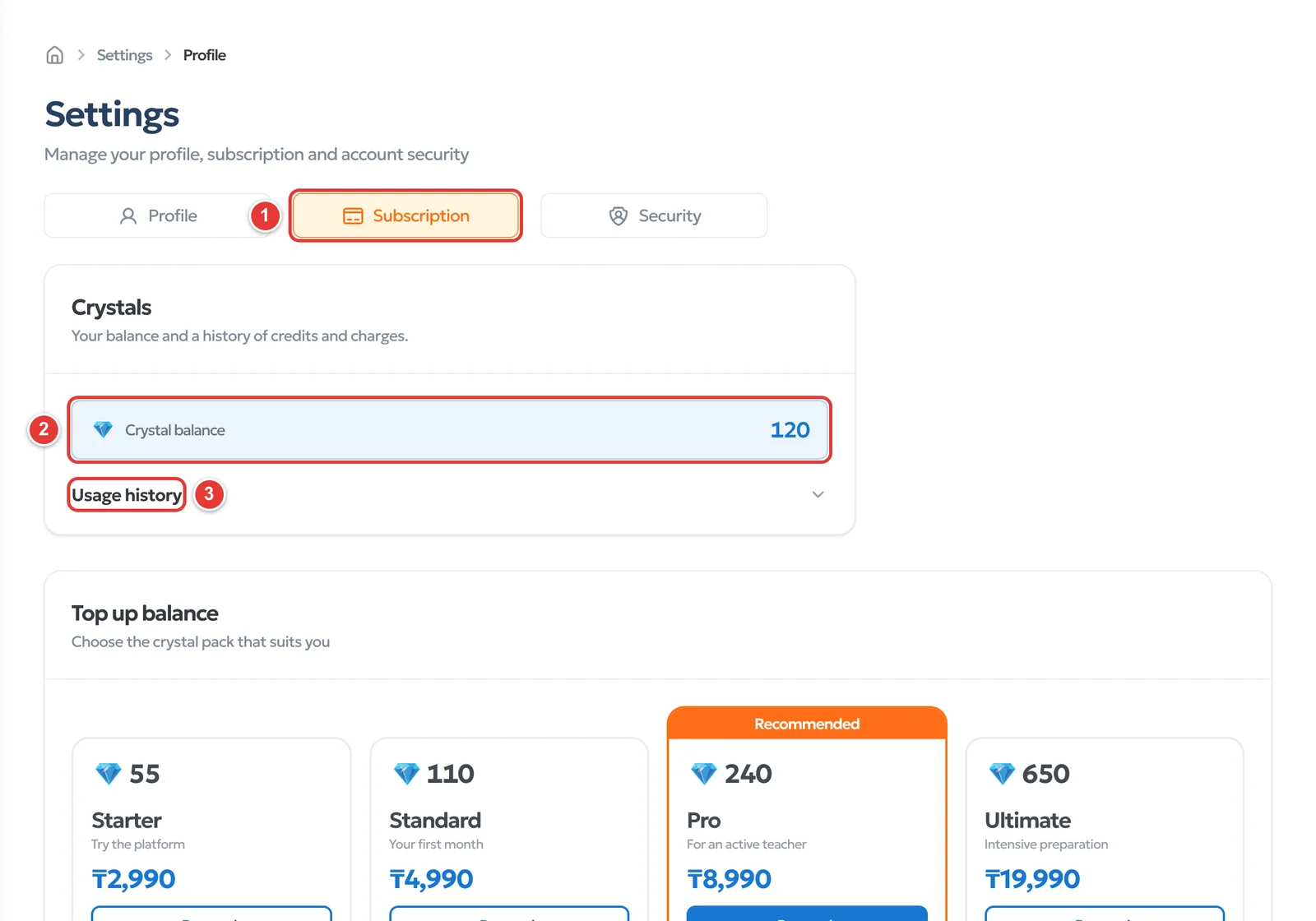
In your profile, open the «Subscription» tab (1). «Crystal balance» (2) shows what's left; «Usage history» (3) shows what each crystal was spent on.
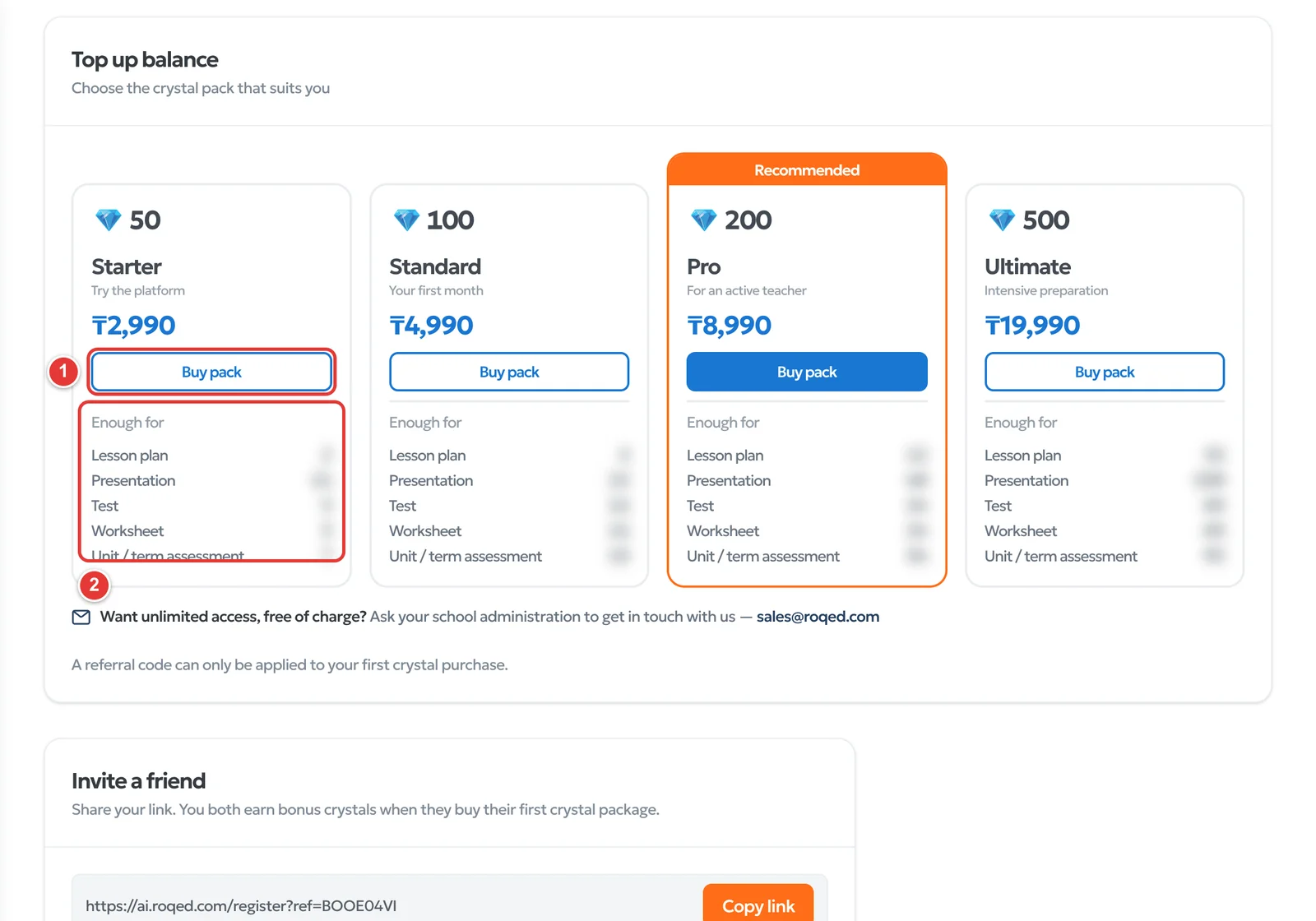
In «Top up balance», pick a pack and click «Buy pack» (1). Under each pack you can see how many materials it covers (2). You pay by Visa, Mastercard or UnionPay card on the payment provider's secure page, and the crystals are added to your balance after payment.
Was this article helpful?