
How do I activate a school licence?
Your school administrator gives you the licence code. With an active licence, the tools work without crystals and without limits.
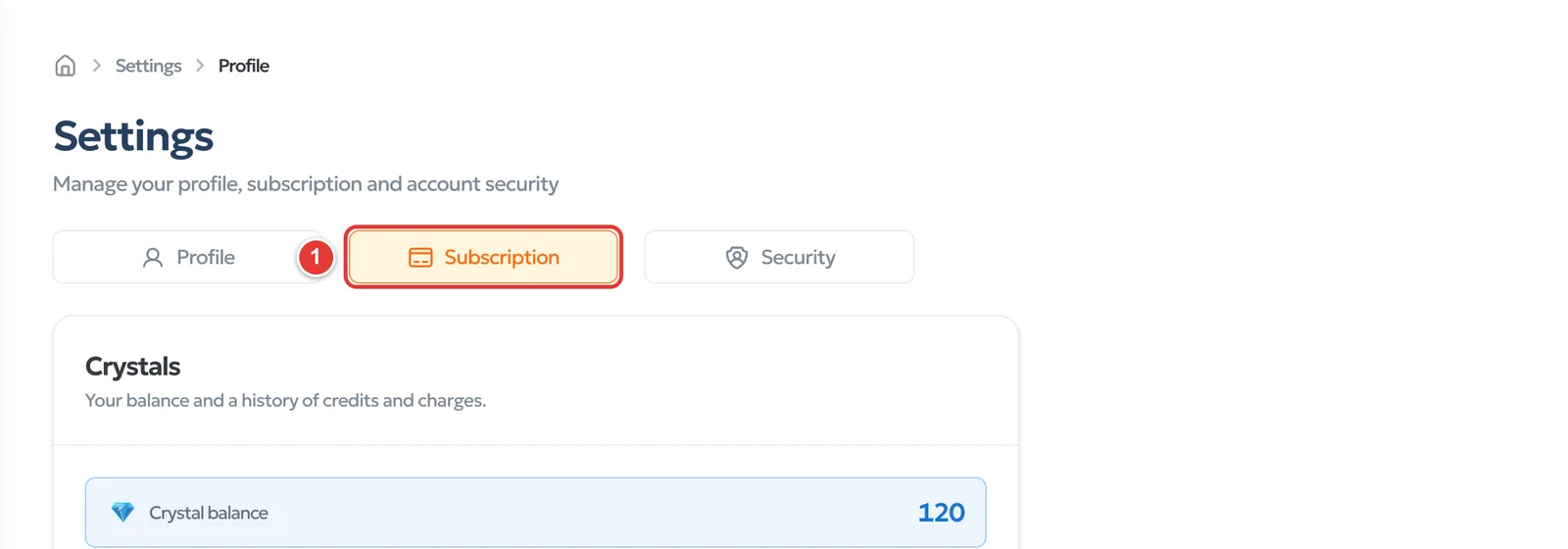
Click your name at the top of the left menu and open the «Subscription» tab (1).
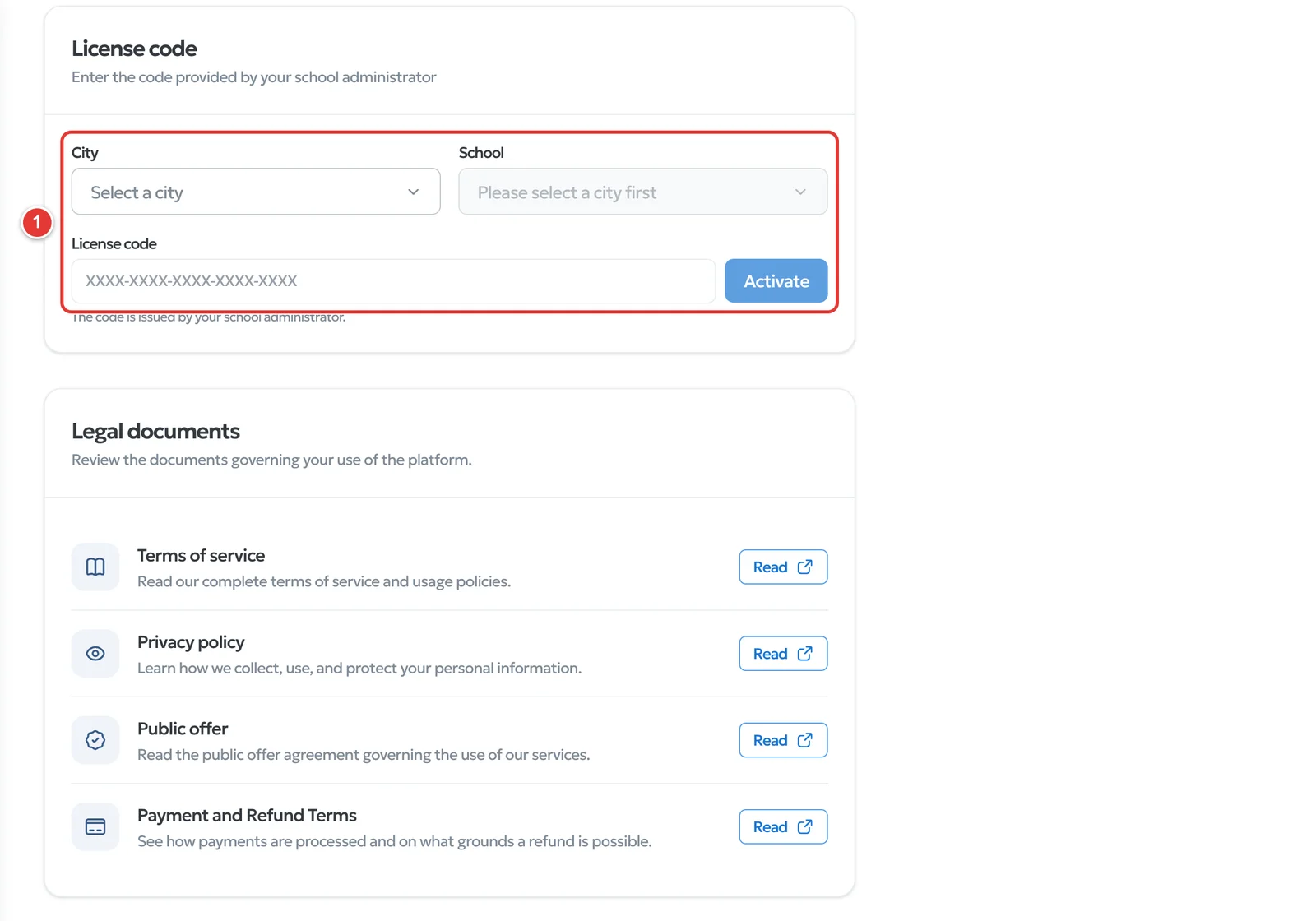
In the «License code» block, choose your city, then your school, enter the code and click «Activate» (1). Once it's active, the block shows «School license» marked «Active», your school and the «Valid until» date.
Was this article helpful?